Scanner - PDF Scanner App
kempis.chris.eScanner
View detailed information for Scanner - PDF Scanner App — ratings, download counts, screenshots, pricing and developer details. See integrated SDKs and related technical data.
- No items.
Screenshots

Description
Scanner App turn your iPhone & iPad into powerful, portable scanner in your pocket. Download this PDF Scanner, Document Scanner to scan all kind of your document: bill, receipts, notes, contract, id card, driver license, passport, book or paperwork within a second then to to high quality PDF, JPEG files to share, email, airprint, upload to clouds your documents at anytime, anywhere.
Scanner App includes an optional auto-renewable subscription to all access current and future premium features (price may vary depending on location):
• Subscription will be billed to weekly, monthly or annually. Check in app for exact pricing in your region.
• Payment will be charged to your iTunes account at confirmation of purchase and will automatically renew (at the duration/price selected) unless auto-renew is turned off at least 24 hours before the end of the current period.
• Account will be charged for renewal within 24-hours prior to the end of the current period and identify the cost of the renewal.
• Any unused portion of a free trial period, if offered, will be forfeited when the user purchases a subscription to that publication, where applicable
• You can manage your subscription and/or turn off auto-renewal by going to your iTunes Account Settings, but refunds will not be given for any unused portion of the term.
• Terms of Use: https://bmit-mob.web.app/privacy-policy.html
• Privacy Policy: https://bmit-mob.web.app/privacy-policy.html
For any question or inquiries about our Scanner PDF App, feel free to contact us at https://bmitmob.business.site/
Download Scanner App for free now !
**********************************************
*Advanced Scanner App:
- Scan with a camera or choose photos from Photos Library.
- Latest mobile scanning technology process high quality PDF, JPG scans.
*Smart image processing algorithms:
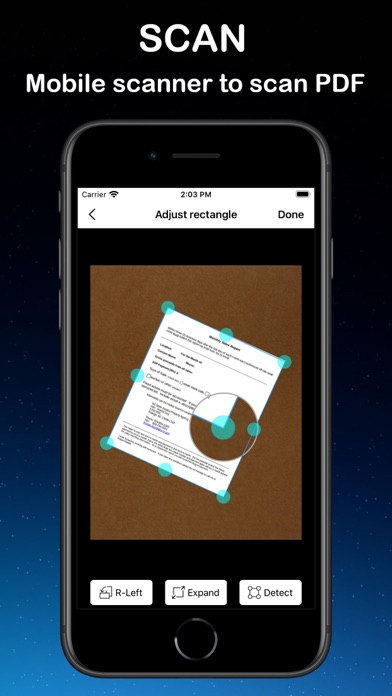
- Auto detect edges and borders of your scanning page.
- Auto crop your document base on detected edges and borders.
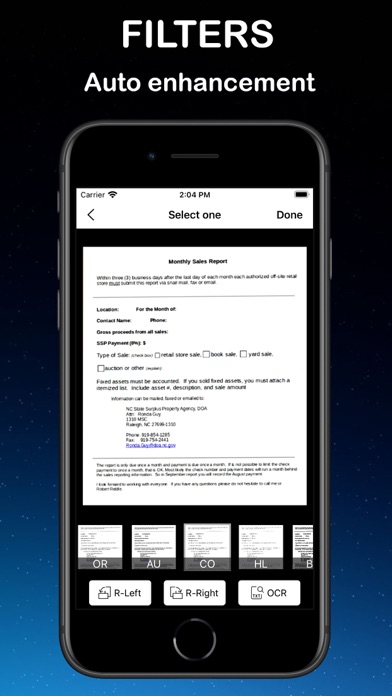
- Auto correct perspective, auto enhance your image quality.
- Auto correct color, remove noise of your scanning image.
- Auto deskew and despeckle.
*E-signature:
- Draw your signature directly on your device.
- Support multiple color selections and stroke for your signature.
- Drag & drop your signature on your scanned page.
- Save your signature for multiple documents.
*Highlight & markup:
- Highlight your important words in your document.
- Multiple color selection for highlighting & markup.
- Free drawing in your document.
*Upload Clouds:
- Select your document want to upload.
- Select cloud you want to upload.
- Login by your account if required.
- App supported: GoogleDrive, Dropbox.
*OCR:
- Converts your scan documents to text
- Allow copy text, copy text, export to .txt file
- Send mail, share the OCR text
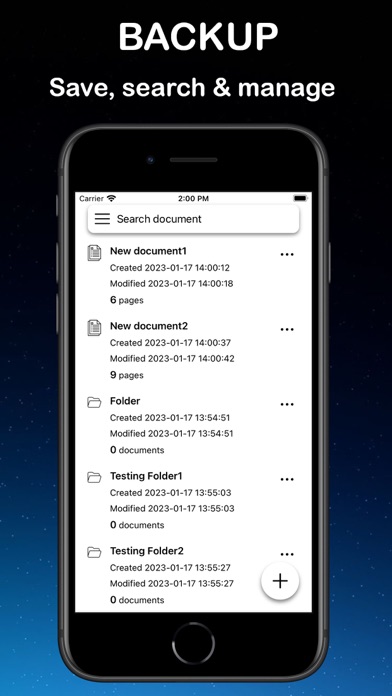
*Storing, naming, organizing & searching your document for quickly accessing:
- Document will be organized by: Folder > Documents > Pages.
- Naming & rename your document and folder anytime.
- Support moving documents between folders and home directory.
- Search your document by name, number of pages, date created.