SiteWarn
com.weatherguidance.sitewarn
View detailed information for SiteWarn — ratings, download counts, screenshots, pricing and developer details. See integrated SDKs and related technical data.
Total installs
100+
Rating
5.0(2 reviews)
Released
August 30, 2015
Last updated
June 17, 2021
Category
Weather
Developer
Rob White
Developer details
Name
Rob White
E-mail
unknown
Website
http://www.weatherguidance.com/Storm_Warnings.html
Country
unknown
Address
unknown
Screenshots

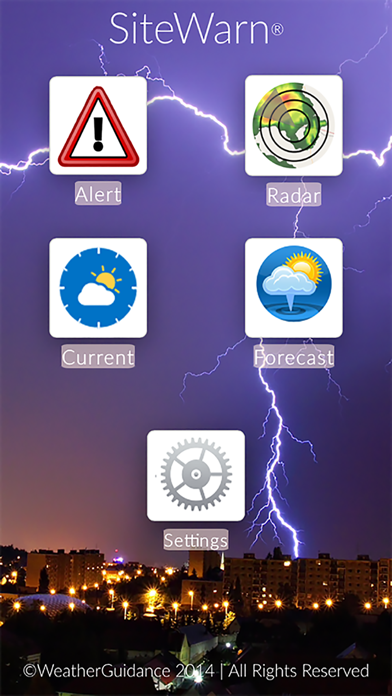


Description
SiteWarn by WeatherGuidance delivers fully customized, site-specific weather information, forecasts and storm warnings directly into the hands of decision makers 24/7/365. Every second counts in severe and other adverse weather situations, and SiteWarn's proprietary technology allows designated users to make informed decisions during those critical moments.
SiteWarn alerts, advisories and warnings are created and issued by WeatherGuidance’s own meteorologists, who monitor your locations and other assets 24/7/365 and notify you when they will be impacted by severe or other adverse weather conditions.
SiteWarn provides customized weather coverage for:
-Single or multiple fixed locations, such as buildings, campuses, site locations, etc.
-Pre-defined geographic areas, such as a general service area or other boundary
-Segments, such as highways, power lines, pipelines and air routes
-Moving assets, where the warning follows the phone or other mobile device wherever it is carried by designated users in the field (requires a GPS enabled device with permissions)
With SiteWarn you can:
-Receive alert notifications proactively sent to you by WeatherGuidance meteorologists
-View public warnings issued by the government for larger, non-specific geographic areas
-Have quick access to your organization’s standard operating procedures matching the warnings that are issued (optional)
-Pan, zoom and animate the highest resolution, most up-to-date radar as well as view active advisories, warnings and customized site location markers on the same interactive map
-View current conditions and the latest WeatherGuidance SiteWarn Forecast for your location(s)
A cellular or WiFi data connection as well as SiteWarn service from WeatherGuidance are required in order to activate and use this application.