Slots Games: Hot Vegas Casino
com.superluckycasino.hotvegas.slots.vegas.ios.free
View detailed information for Slots Games: Hot Vegas Casino — ratings, download counts, screenshots, pricing and developer details. See integrated SDKs and related technical data.
Total installs
5,000,000+
Rating
4.9(42,806 reviews)
Released
May 16, 2016
Last updated
August 27, 2024
Category
Games
Developer
Super Lucky Games LLC
Developer details
Name
Super Lucky Games LLC
E-mail
unknown
Website
https://superfree.com/
Country
unknown
Address
unknown
Screenshots



Description
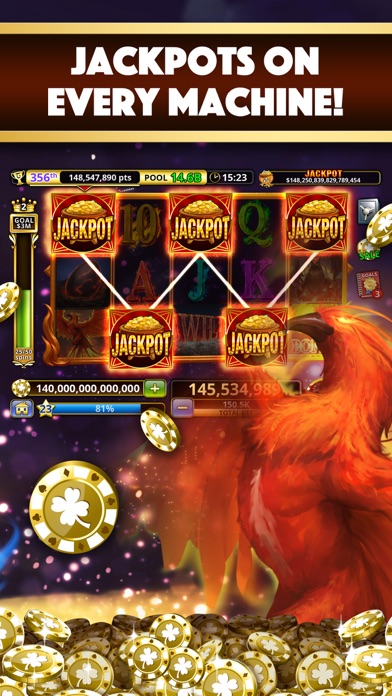
* 100,000,000 Bonus Coins! Play 70+ Slot Machines in Hot Vegas Slots! *
Play online or offline, with or without wifi, any place, any time! REAL VEGAS ODDS ON EVERY MACHINE!
Win Big with HOT VEGAS SLOTS CASINO SLOT GAMES!!! New Slots Added every month! Don't miss out on the greatest new Slot Game App: Play Hot Vegas Slots Casino TODAY!
These slot games are intended for adult audiences and do not offer real money gambling or any opportunities to win real money or prizes. Success within this slots game does not imply future success at real money gambling.
Questions/Problems?
E-mail us at: [email protected]
----------------About Subscriptions-----------------
- League Pro subscription gives players exclusive rewards including more Daily Bonus Coins, a boost to League points and an ads-free experience
Subscription price is $9.99 per week
- Payment will be charged to iTunes Account at confirmation of purchase
- Subscriptions automatically renew at the end of the period unless turned off at least 24 hours before the end of the current period in the account settings
- Account will be charged for renewal within 24-hours prior to the end of the current period
- Subscriptions may be managed by the user and auto-renewal may be turned off by going to the user's iTunes Account Settings after purchase
- Users may cancel a subscription at any time via the subscription setting through their iTunes account. This must be done 24 hours before the end of the subscription period to avoid being charged. Please visit https://support.apple.com/en-us/HT202039 for more information
- You may turn off the auto-renewal of your subscription via your iTunes Account Settings.
- You will receive the benefits of your cancelled subscription through the end of the pay period before cancellation.
Privacy Policy
https://superfree.com/privacy-policy/
Terms of Use
http://superfree.com/terms-of-service/