Baby Animals Jigsaw Learning
com.soft5a.animalspuzzle
View detailed information for Baby Animals Jigsaw Learning — ratings, download counts, screenshots, pricing and developer details. See integrated SDKs and related technical data.
Total installs
10,000+
Rating
4.3(99 reviews)
Released
September 7, 2012
Last updated
March 27, 2020
Category
Games
Developer
猛 杨
Developer details
Name
猛 杨
E-mail
unknown
Website
https://www.soft5a.com/
Country
unknown
Address
unknown
Screenshots


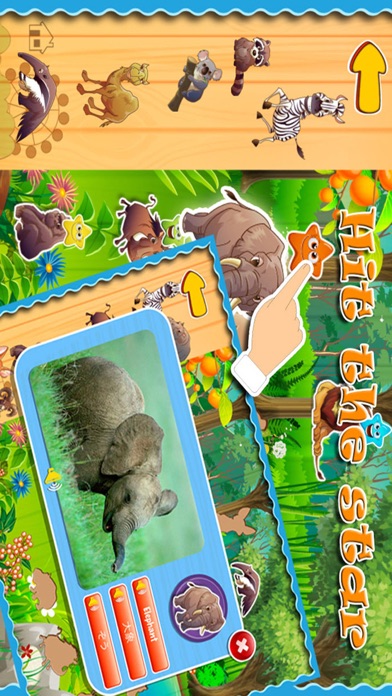
Description
Baby Loves Animals is a funny app built for children from age 2 - 12. If you are looking for something entertaining but also educational for your kids, Baby Loves Animals is the perfect for you!
Completely with 100 different animals for your kids to enjoy. Definitely the best animals flash cards available!!! Watch your children as they quickly learn & recognise each animal’s name & sound - Enjoy remarkable animation technology and view beautiful jungle wildlife, farm and sea animals, pets, birds and other endangered species for the whole family to enjoy.
What’s Inside:
1 Animals - Fun to learn names & sounds - interactive activity
2 Jigsaw game - Fun and easy play for kids
3 Three different languages and pronunciations:English, Chinese and Japanese
4 Tap & learn - spelling and pronunciation - interactive activity
5 Real photo and cartoon style photo includes
We recommend that you upgrade your device to the most recent iOS version before installing this app.
- NO SOUND?
If the sound isn't working, make sure the mute switch is turned off, activate the application, then turn up the volume and the sound will work.
(you can find the mute switch and volume button at the side of your iPad/iPhone/iPod Touch).