OBD Tracker - ELM327 Terminal
com.smart.1
View detailed information for OBD Tracker - ELM327 Terminal — ratings, download counts, screenshots, pricing and developer details. See integrated SDKs and related technical data.
Total installs
1,000+
Rating
4.1(81 reviews)
Released
December 5, 2017
Last updated
December 5, 2017
Category
Travel
Developer
SMART Technologies GmBH
Developer details
Name
SMART Technologies GmBH
E-mail
unknown
Website
unknown
Country
unknown
Address
unknown
iOS SDKs
- No items.
Screenshots
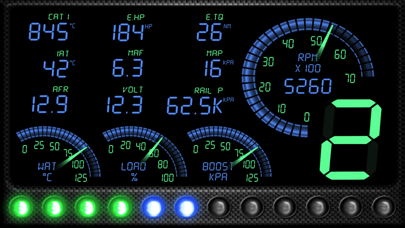
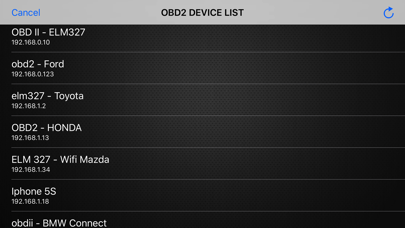
Description
The ELM module(s) supported are network to serial interfaces that use wifi to communicate. This app communicates with an ELM OBDII (OBD2) car interface device.
The Ultimate Step-by Step Guide:
◆ Get the right OBD 2 reader or scan tool, whichever suits your car. This is done by checking on the compatibility and the relevant tool.
◆ Locating where the OBD 2 port is.
◆ Powering the car engine on for the case ease of making the system work.
◆ Plug in the pins of the OBD2 connector to the areas of relevance within the OBD 2 port.
◆ Enable the OBD 2 to start reading.
◆ Open app, click "SCAN" - and select correct OBD2 device in list.
(default is 192.168.0.10 / 192.168.0.123)
You have any questions or concerns? Feel free to contact us.
We're always here to help.