VirtuCamera (Unlimited)
com.shycats.virtucamera-u
View detailed information for VirtuCamera (Unlimited) — ratings, download counts, screenshots, pricing and developer details. See integrated SDKs and related technical data.
- No items.
Screenshots
Description
An essential tool for Layout Artists, Animators and any 3D Artist that needs to animate a camera. Move your device in any direction, VirtuCamera will capture the motion and instantly send it over Wi-Fi to your camera in Blender® or Autodesk® Maya® software.
- Live Viewport Streaming
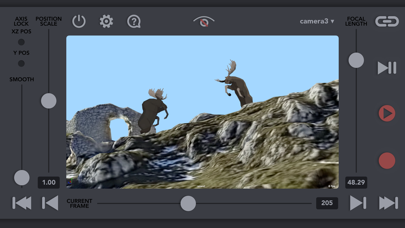
See your scene through the App in real time. VirtuCamera streams the viewport over Wi-Fi so you don’t miss any detail.
- Control the scene from the App
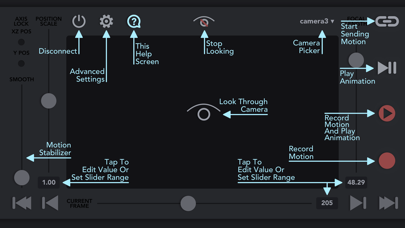
Control the playback, choose from your scene cameras, animate the focal length or scale camera movements to travel long distances.
- Up to 60 FPS
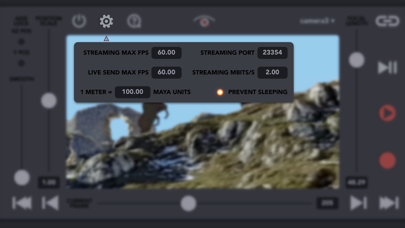
Device motion and viewport streaming are captured and sent at up to 60 frames per second. You can configure this parameter at your needs.
- Camera Stabilizer
Remove unwanted hand noise and create smooth camera animations.
- Custom Scripts
Create your own buttons that will call custom scripts directly from the App (Only available for Maya)
Minimum system requirements:
-A computer powerful enough to play your 3D scenes.
-A recent version of Windows®, MacOS® or Linux® operating system.
-A stable network connection.
-Blender® 2.80 (and above) or Autodesk® Maya® 2017 software (and above).
-The latest version of the plug-in provided in our webpage.
Here you can find the installation guide for the plugin:
https://virtucamera.com/how-tos/
We plan to release new plug-ins for other 3D softwares in the future, send us your preferred 3D softwares to support@virtucamera.com
Our Terms And Conditions:
https://virtucamera.com/terms-and-conditions