FlexRide by TheRide
com.ridewithvia.ANA.AnnArborAaataRider
View detailed information for FlexRide by TheRide — ratings, download counts, screenshots, pricing and developer details. See integrated SDKs and related technical data.
Total installs
10,000+
Rating
4.8(113 reviews)
Released
August 19, 2024
Last updated
October 20, 2025
Category
Travel
Developer
Via Transportation, Inc.
Developer details
Name
Via Transportation, Inc.
E-mail
unknown
Website
https://city.ridewithvia.com/wake-forest
Country
unknown
Address
unknown
iOS SDKs
- No items.
Screenshots


Description
FlexRide by TheRide is the best way to get around the greater Ann Arbor and Ypsilanti area. We’re a ridesharing service that’s smart, easy, and reliable.
With a few taps, book a ride in the app and our technology will pair you with other people headed your way.
HOW IT WORKS:
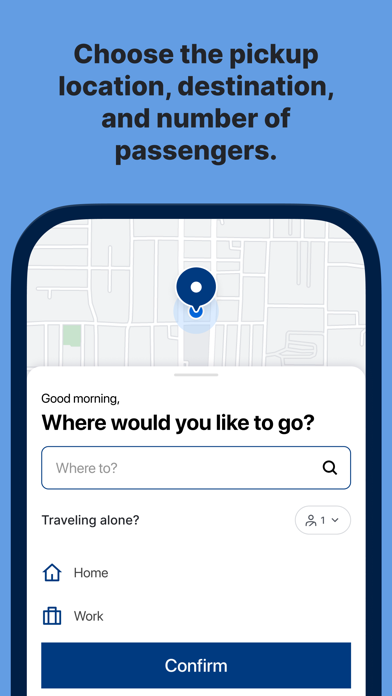
- Book a ride by setting your pickup and drop off addresses, and indicating if you’re riding with any additional passengers.
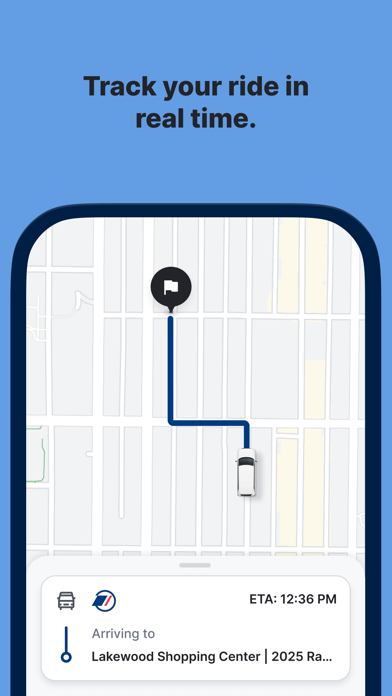
- You will be given an estimated time when the vehicle will arrive upon booking your trip. The estimated arrival time of the driver will be automatically updated as your vehicle makes its way to meet you.
- There may be others on board, or you may make a few additional stops along the way! You can track your ride and share your status in real-time trip from the app.
SHARING YOUR TRIP:
Our algorithm matches people headed in the same direction. This means you’re getting the convenience of a private ride with the efficiency and reliability of a public one.
RELIABLE:
Track your ride as the driver is on their way to you, and while you’re on the vehicle too.
OUR VEHICLES:
FlexRide is wheelchair accessible! If you require a wheelchair accessible vehicle, simply toggle on “Wheelchair accessibility” in the “Account” tab of your app! When you request a ride, you’ll be matched with a wheelchair accessible vehicle.
Questions? Reach out at [email protected].
Loving your experience so far? Give us a 5-star rating.