Lighter Simulator Concert Mode
com.just4funmobile.lightersimulatorwithconcertmode
View detailed information for Lighter Simulator Concert Mode — ratings, download counts, screenshots, pricing and developer details. See integrated SDKs and related technical data.
- No items.
Screenshots

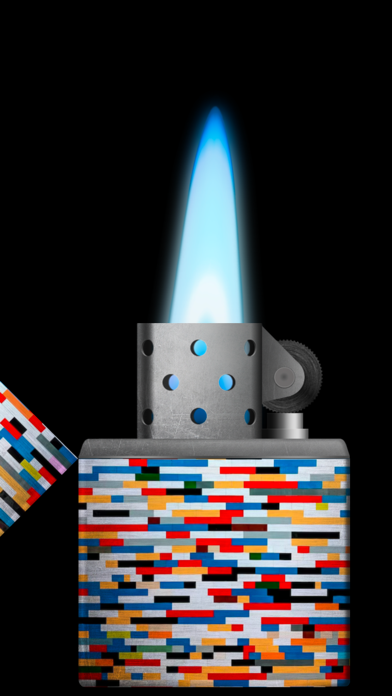


Description
"Lighter Simulator with Concert Mode" is a simulator of a metal cigarette lighter.
Main advantages of the app:
* 60 different lighter themes and 42 colors to choose from + new cool themes to download every month
* 8 colourful flames to choose from
* studio : use your own picture to decorate body, lid or background
* favorites : keep your favorite cigarette lighters in one place
* blow out to stop the fire
* concert mode : use it to keep the flame burning all the time
* use of camera flashlight for a better effect
How to use it?
Use your finger or shake your phone to open cap of the metal lighter. When the top lid is open strike the stone wheel the same way you would do it with a real cigarette lighter. Sparks will appear under the flint and they should light the wick.
As it is a very realistic simulator, it is possible that you will not manage to make a fire for the first time. You have to keep trying to spin the stone wheel until the fire appears (please use "Always light the flame at the first time" feature in settings to change that behavior). When the lighter is on phone's torch will be turn on for a better visual effect.
You can now move / tilt you phone and observe how the flame react. To stop the fire you need to close the top cap. Do it with your finger or shake the phone. You can also blow towards the fire (To stop the flame by blowing, you have to turn on "Blow to put out the flame" in settings).
By using "Lighter Simulator Concert Mode", you are agreeing to our Privacy Policy and Terms of Use:
https://www.just4funmobile.com/tos-lighter-apple-store/
https://www.just4funmobile.com/privacy-policy-lighter-apple-store/