Hail Recon
com.interactivehailmaps.hailrecon
View detailed information for Hail Recon — ratings, download counts, screenshots, pricing and developer details. See integrated SDKs and related technical data.
Total installs
10,000+
Rating
2.9(82 reviews)
Released
February 19, 2013
Last updated
February 14, 2024
Category
Weather
Developer
Interactive Hail Maps, LLC
Developer details
Name
Interactive Hail Maps, LLC
E-mail
unknown
Website
http://www.interactivehailmaps.com/
Country
unknown
Address
unknown
Screenshots

Description
Hail Recon is the mobile hail reconnaissance companion app for your Interactive Hail Maps subscription. Features include:
Forensic Level Hail Maps
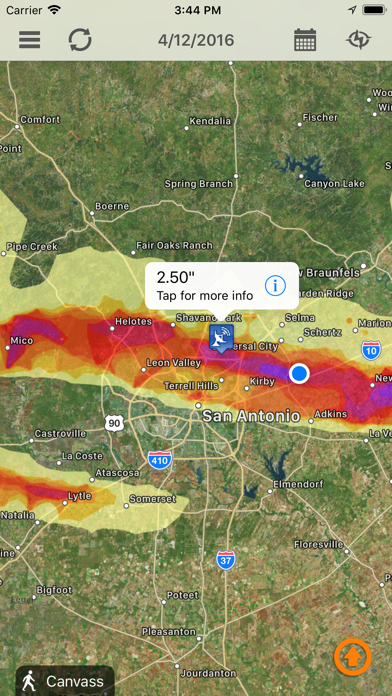
- Radar accurate hail swaths allow you to pinpoint where the hail fell in ten highly accurate levels, ranging from ½” to over 3” hail in ¼” increments.
- Location indicator lets you see exactly where you are in relationship to the hail swath.
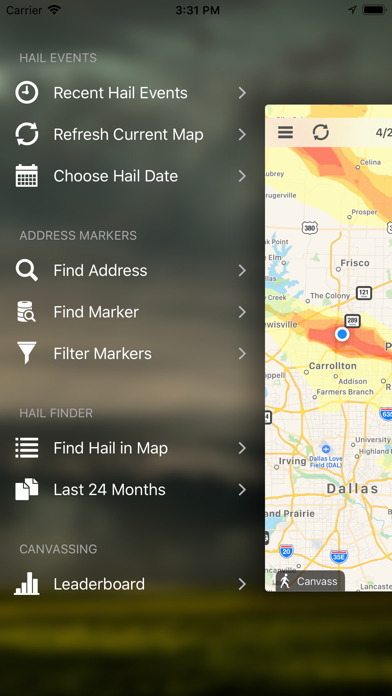
- Hail Finder allows you to find hail storms based on map location - just zoom to any specific location and tap “Find Hail in Current Map”.
- On-the-ground hail reports confirms hail size and intensity with storm spotter measured hail hitting the ground.
- View road map, satellite, and hybrid view by tapping the button at the bottom right corner of the map, then select one of the three map modes: Standard; Satellite; and Hybrid.
Address Markers
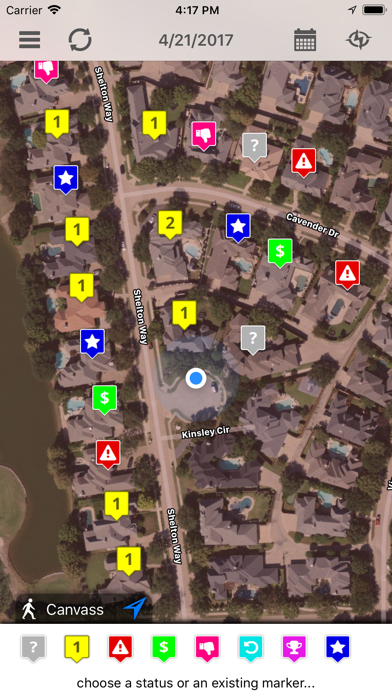
- Hail Recon makes it easy to take notes while you are in the field.
- View where you’ve already canvassed, and where you’ve not yet been.
- Drop a marker at your current location, or press the map for a second and it will drop there.
- Indicate damage severity, hail size, wind damage and comments.
- Drop a marker at a prospecting location and tap to get driving directions.
- Find any address - tap the button at the bottom-right corner of the map screen to enter an address to find, and Hail Recon will drop a marker at that address on the map.
- Generate, view, and email a comprehensive hail impact report based on any of your address markers.
- Review your address markers on the app or on the full screen maps.
- Your address markers are private to your account and cannot be seen by anyone else.
Push Notification Hail Alerts
- Alerts play different sounds for small, medium, and large hail reports.
- Each account may have any number of devices subscribed to your hail alerts - just sign in on the device once, and you’re set!
- Pause your alerts anytime with just a tap!
- Integrates with your Interactive Hail Maps subscription for access to all historical storm dates (over four years)
Keywords: hail, hail map, hail reports, storm reports