Home Screen Widgets Widgetizer
com.VladYanushko.CustomWidgets
View detailed information for Home Screen Widgets Widgetizer — ratings, download counts, screenshots, pricing and developer details. See integrated SDKs and related technical data.
Total installs
5,000+
Rating
4.5(53 reviews)
Released
December 26, 2020
Last updated
April 4, 2021
Category
Graphics & Design
Developer
Uladzislau Yanushka
Developer details
Name
Uladzislau Yanushka
E-mail
unknown
Website
unknown
Country
unknown
Address
unknown
iOS SDKs
- No items.
Screenshots

Description
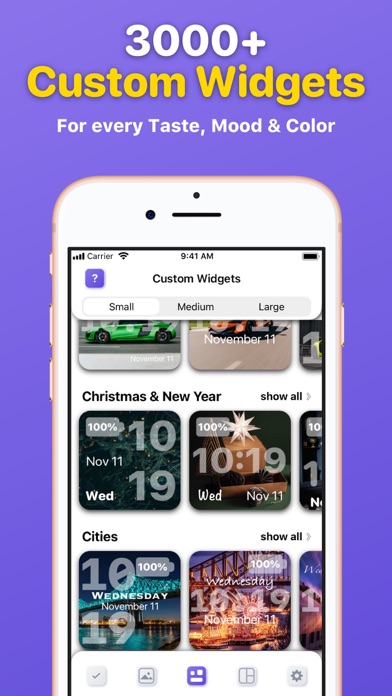
Make your Home Screen look fabulous using a Widgetizer! Discover a unique custom widgets gallery for every taste, color and mood, grouped in 30 different categories and more.
Main Widgetizer App Features:
■ Custom Widgets Gallery – choose, edit and activate custom widgets you like from the biggest, colorful collection to add them to your Home Screen.
■ Widget Preview – see how the selected widget will look before activating and adding it to your Home Screen;
■ Widget Editor – edit custom widgets as you like. Customize Font, Color, Style, Display (Date, Time, Day, Battery).
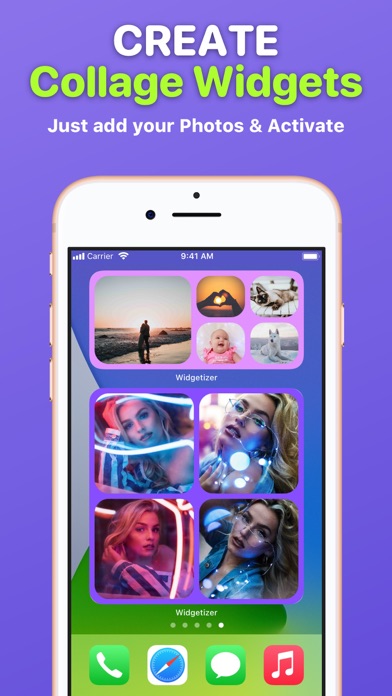
■ Collage Widgets – create beautiful collage widgets from your Photos. Pick Color and Layout that suit your collage and widget size. Activate to add to your Home Screen;
■ Active Widgets – here are all your activated custom and collage widgets that you can add to your Home Screen;
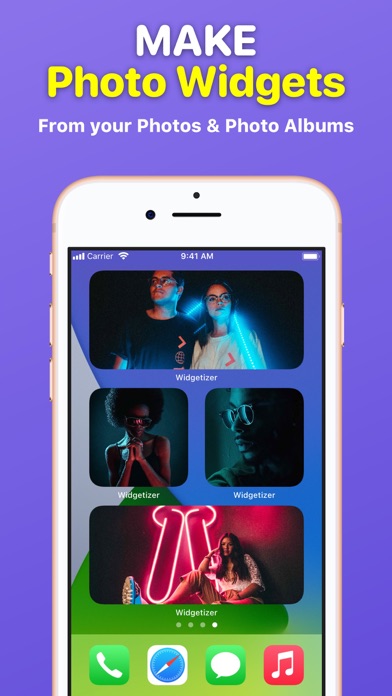
■ Photo Widgets – make your own Photo and Photo Album widgets;
Widgetizer App Also Includes Content:
– 30 categories of custom widgets, such as: Animals, Landscapes, etc.
– 3000+ custom widgets with daily updates;
– 3 custom widgets in each category for free (90 custom widgets in each widget sizes for free in total);
– No ads!
How to add widgets to your Home Screen?
1. From the Home Screen, touch and hold a widget or an empty area until the apps jiggle.
2. Tap the “Add” button (+) in the upper-left corner.
3. Search for ”Widgetizer” or scroll down until you find the app.
4. Select a widget type, choose from three widget sizes, then tap ”Add Widget”.
5. Tap ”Done” and enjoy the widget!
How to edit widgets?
1. Touch and hold a widget to open the quick actions menu.
2. Tap ”Edit Widget”.
3. Make your changes, then tap outside of the widget to exit.
Unclear? Do not worry! You can find a more detailed guide with pictures inside the app by clicking on the (?) button.
Note: Free version of the app is limited to:
– 90 custom widgets in each widget sizes;
– 1 active custom and collage widget in each widget sizes;
– 3 collage widget layouts in each widget sizes.
To use the app without limits, an auto-renewable subscription ”Widgetizer Pro” is available.
Auto-renewable Subscription ”Widgetizer Pro” Includes:
– Unlock all widgets;
– Get daily new widgets;
– Unlimited active widgets;
– Unlock widget editor;
– All collage widget layouts.
Auto-renewable Subscription ”Widgetizer Pro” Info:
By subscribing you get premium (full, unlimited) access to all the features and content offered by ”Widgetizer” app.
The app contains the following auto-renewable subscription called ”Widgetizer Pro”:
– Weekly (0,99 US$) with a 3-days for free period
* Subscription price may vary depending on your location.
* Payment will be charged to iTunes Account at confirmation of purchase;
* Subscription automatically renews unless auto-renew is turned off at least 24-hours before the end of the current period;
* Account will be charged for renewal within 24-hours prior to the end of the current period, and identify the cost of the renewal;
* Subscriptions may be managed by the user and auto-renewal may be turned off by going to the user's Account;
* Any unused portion of a free trial period, if offered, will be forfeited when the user purchases a subscription to that publication, where applicable.
Privacy Policy: https://widgetizer-privacy.nethouse.ru
Terms of Use: https://widgetizer-terms.nethouse.ru