Xformat
com.MattRajca.Xformat
View detailed information for Xformat — ratings, download counts, screenshots, pricing and developer details. See integrated SDKs and related technical data.
Total installs
0+
Rating
0.0
Released
September 20, 2016
Last updated
November 19, 2025
Category
Developer Tools
Developer
Furnace Creek Software LLC
Developer details
Name
Furnace Creek Software LLC
E-mail
unknown
Website
https://furnacecreek.org/webmap/
Country
unknown
Address
unknown
iOS SDKs
- No items.
Screenshots
Description
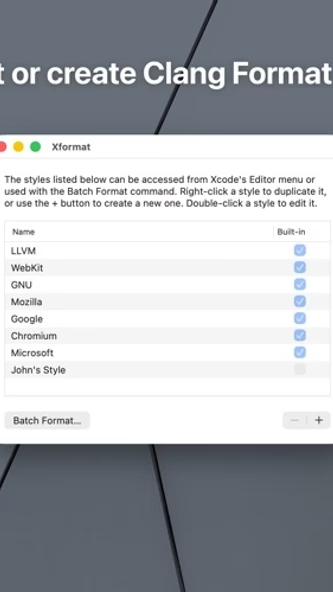
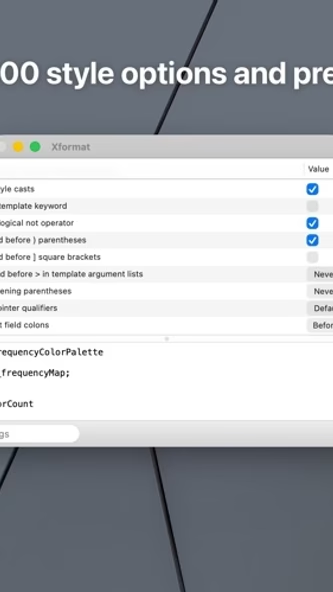
Xformat makes it easy to format C, C++, Objective-C, and Objective-C++ code using common style guides such as LLVM, Mozilla, and WebKit. You can also define your own styles directly in the app, or import a clang-format configuration file. You can search through and customize nearly 100 style options, and see a live preview update as you go.
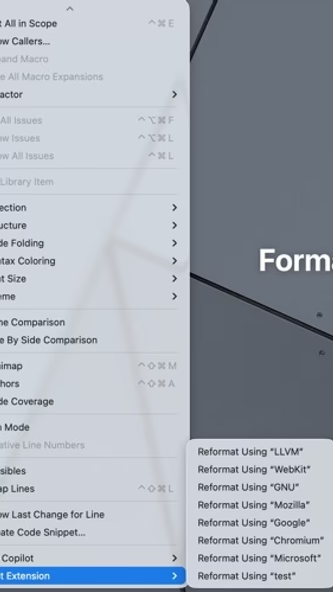
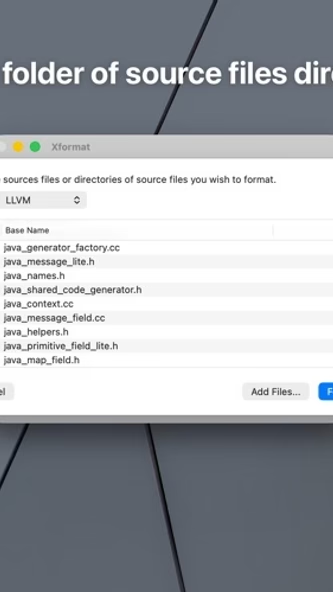
When you're ready, you can use Xformat's Batch Format tool to quickly re-format an entire directory of source files, or use the included Xcode extension to re-format a file directly from Xcode. Xformat also ships with a Shortcuts action, so you can also automate formatting your sources in the Shortcuts app.
Xformat is powered by the open source clang project and clang-format tool, so it has a deep understanding of your code. This makes the re-formatting process very robust. Xformat can also import and export clang-format configuration files.
Note: Xformat currently does not support re-formatting Swift source files.