adoc Studio - Writing App
app.adoc-studio.main
View detailed information for adoc Studio - Writing App — ratings, download counts, screenshots, pricing and developer details. See integrated SDKs and related technical data.
- No items.
Screenshots



Description
Create technical documentation in no time.
adoc Studio is the new, integrated writing environment for structured texts.
Use the full power of AsciiDoc - directly on your Mac, iPad & iPhone.
TEST AND SUBSCRIBE
• Try adoc Studio for free and without obligation for 14 days.
• Then start a monthly or annual subscription.
• Each subscription is automatically valid for Mac, iPad and iPhone.
INTUITIVE STRUCTURE
• Manage text, media and other components of a technical documentation in an adoc Studio project.
• Create compound documents to divide extensive texts into chapters.
• Navigate even the most complex documentation with the sidebar.
• Fix errors with the help of the problem navigator.
WRITING
• Write your text in the editor on the left.
• With the preview on the right, you can see immediately how it will look in HTML or PDF.
• Easily insert images, tables, references, formulas, notes and attributes.
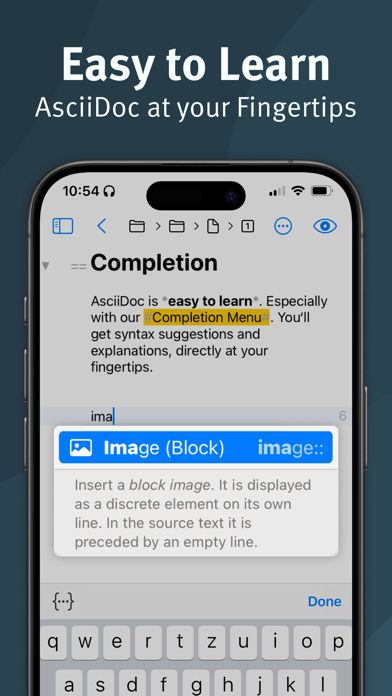
• With the integrated adoc Coach, all the powerful features of AsciiDoc are just an ESC key away.
SHARING
• Use attributes and conditions to automatically adapt your documents to your target audiences.
• As in a modular system, you put together all relevant information. Text variants have never been so easy.
• Export exactly as in the preview, or customize the format, style and appearance individually.
• Automate recurring exports easily with the help of products.
MOBILE WORK
• Working on the go? No problem. adoc Studio offers full functionality on Mac, iPad and iPhone.
• Even on small screens, the user interface remains clear and pleasant.
• Create, edit and export your documents wherever you want.
• Thanks to synchronization with cloud services, all participants are always up to date.
• Not in the mood for the cloud? Since AsciiDoc is a plain text format, you can also share your projects via Git.
FOR WHOM?
• Technical writers and documenters
• Developers and programmers
• Bloggers and content creators
• Authors and writers
• Markdown users who want more features
Unleash your creative potential and experience the future of structured writing with adoc Studio!
Start your free trial and dive into your first structured writing adventure: Your text, your rules!
Privacy policy: https://www.adoc-studio.app/legal/app-privacy
Terms of use: https://www.adoc-studio.app/legal/terms