ScrollType - Watch Keyboard
Samantha.testwatch
View detailed information for ScrollType - Watch Keyboard — ratings, download counts, screenshots, pricing and developer details. See integrated SDKs and related technical data.
Screenshots


Description
ScrollType is an accurate watch keyboard that allows you to type messages on your Apple Watch.
GREAT FOR KIDS
The intuitive design makes it easy for kids to understand and use ScrollType to text their parents. This is the perfect app for Apple Watch Family users to communicate with their parents.
FEATURES
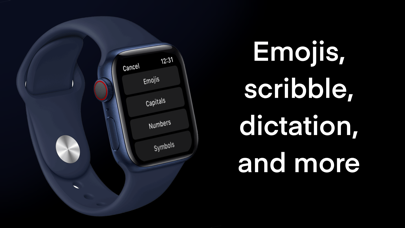
Click the '•••' button to access capital letters, numbers, symbols, dictation, scribble, emojis, and apple keyboard from your iPhone. Also, double tap the space bar for a period.
ACCURATE
ScrollType is designed to be as accurate as possible with our never before seen scrolling feature. Most other Apple Watch texting apps use a QWERTY keyboard, which is inaccurate since the keys are so small. ScrollType's scrolling feature allows you access the entire alphabet and has large, easily tappable characters, making texting easy and accurate.
SCROLLING
Use the Digital Crown or your finger to easily scroll through and find the characters you want. The Digital Crown allows you to control the scrolling speed - speeding up when you go faster and slowing down when you go slower.
SHORTCUTS
Add ScrollType's complication/Watch face shortcut to your watch face, allowing for quick and easy access to the app.
LARGE TEXT AREA
A large text area allows you to see a lot of your text. Many other Apple Watch texting apps have a limited, one-line text area, so you cannot read your text before you send it. ScrollType has a large, multiline text area, which makes reading and editing your text easy. Additionally, when you press the send button, you can preview your text.