고스톱 금액 계산기 - 누가 누구에게 얼마? 장부기록
zero.friends.gostopcalculator
View detailed information for 고스톱 금액 계산기 - 누가 누구에게 얼마? 장부기록 — ratings, download counts, screenshots, pricing and developer details. See integrated SDKs and related technical data.
- No items.

Screenshots

Description
Korea's No. 1 GoStop • Hwatu • Hitgo Book App, GoStop Amount Calculator
Game amount rule setting, up to the amount settlement through accurate calculation
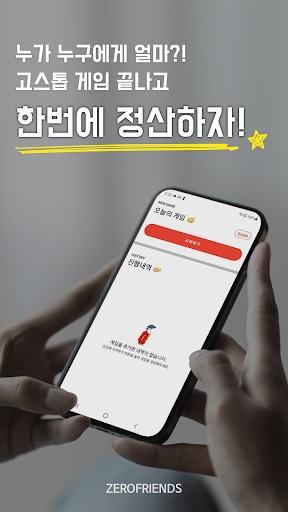
After the game is over, settle at once!
GoStop Amount Calculator is an App developed to help players who hit GoStop not settle the money at the end of each round, but rather who should give how much to whom at the end after enjoying all the rounds.
While playing GoStop with my friends, I decided to develop it because I had to manually calculate who should give how much to whom for each game in order to finally settle it by bank transfer.
#Many rules applied to GoStop!
Don't think. Just type.
The calculation is left to the app. Humans can make mistakes, but code doesn't.
# Take away all the hard-to-recognize features!
You can clearly see only the features that you need to show
It is a convenient and intuitive app to use.
#Ah..? Suddenly a rule came to mind... ;;
it's okay! Instead of long sentences, only the main point is clear!
We've compiled all the rules for GoStop in the app!
#The most intuitive settlement history on earth
What we need is who gives and how much to whom!
The most neat and clear show!
App guide
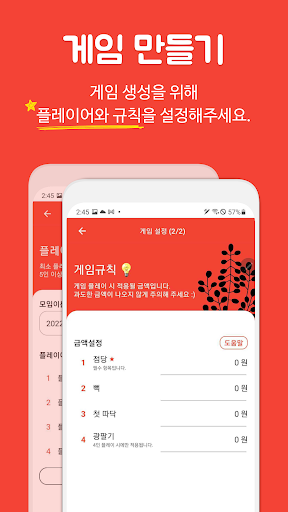
1. [Game Creation] Set up players and rules to create a game.
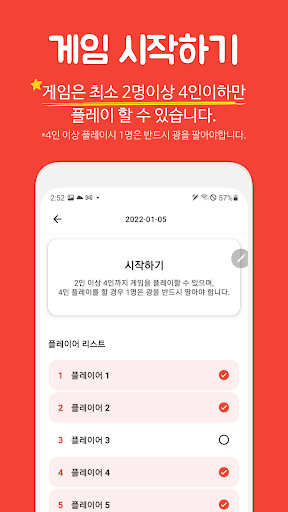
2. [Starting the game] The game can be played with at least 2 players and no more than 4 players. (When playing with more than 4 players, 1 player must sell the light.)
3. [Option score record] Check who sold the light, and who sold it.
4. [Enter winner's score] Enter the winner's score. (Please enter the final score by calculating the score for shaking and chanting.)
5. [Input loser score] Check whether the loser has beaten or not.
6. [Real-time status history] Check the status of revenue that is settled at the end and the status of revenue by round!
7. [Settlement] Please settle who gives and how much to whom through the settlement details.
Inquiry: zerofriends94@gmail.com