iCal Import/Export CalDAV
tk.drlue.icalimportexport.premium
View detailed information for iCal Import/Export CalDAV — ratings, download counts, screenshots, pricing and developer details. See integrated SDKs and related technical data.
- No items.

Screenshots

Description
iCal Import/Export CalDAV 3.2
is the ultimative import/export/sync app for your android calendar with first class support for everyone.
See always what's happening, nothing is hidden from the user.
Feature overview
Import, export, sync, transfer, archive, calendar editing, deleting, changing, a very cool Widget, and much more!
Import/Export
You can import and export from various sources and to various destinations:
★WebDAV
★Ftp
★Websites
★Internal/external storage
★Email
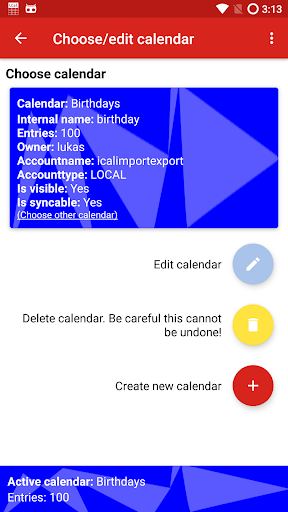
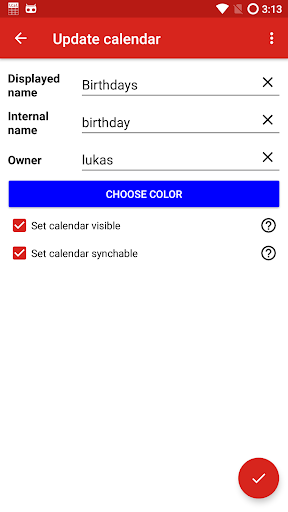
Create, edit or delete android calendars
Pro Features
(In free version 14 days testable after first start)
Scheduled Import/Export
Plan your imports and exports and run them in specific intervals.
You can also limit planned operations to a specific WLAN.
CalDAV Android 4.0 and above, events only
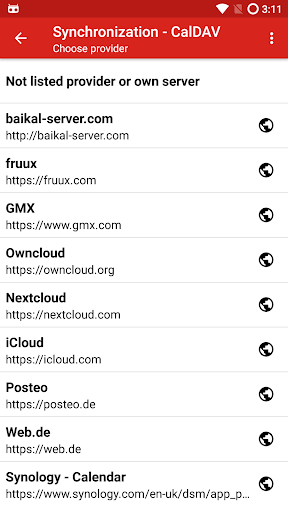
State of the art CalDAV implementation, featuring WebDAV Sync.
You can also limit the synchronization to a specific WLAN.
★iCloud
★fruux
★owncloud
★baikal
★Posteo
★Gmx
★Web.de
★Synology
★mailbox.org
★Most SabreDAV based servers
★Many others, but they are not tested
★No support for memotoo
More CalDAV information: http://ical.drlue.at?page_id=284
Extra Features
★Transfer calendars
★Purge calendars
★Archive calendars
Widget
Monitor planned imports/exports and caldav directly on your homescreen, try it out!
Used permissions
NO permission is used for a purpose other than the operations choosen by the user! There are no ads, no tracking or any other data stealing.
You can find an exact explanation for all permissions here: http://ical.drlue.at?page_id=124
Privacy policy
You can find the privacy policy here: http://ical.drlue.at?page_id=652
Thanks to:
★http://ical4j.sourceforge.net for the parser/interpreter
★https://github.com/lookfirst/sardine and https://github.com/aflx/Sardine-Android for the WebDAV implementation
★https://github.com/brk3/android-color-picker for the color picker
You always want the most recent features?
Open betatest:
https://play.google.com/apps/testing/tk.drlue.icalimportexport