МП. Инспектор
team.rtds.checkcontrol
View detailed information for МП. Инспектор — ratings, download counts, screenshots, pricing and developer details. See integrated SDKs and related technical data.

Screenshots


Description
Inspector is an application for government officials, business representatives and individuals that allows you to conduct inspections and participate in control (supervisory) activities remotely.
Use the ESIA authorization.
When entering the application, secure ESIA authorization is used, thanks to which the user automatically receives the appropriate functionality and activities available to him.
Create videoconferencing events in the app.
To invite a license applicant to a remote compliance assessment, a preventive visit, or perform actions within the framework of the CNM, the inspector can use the service for creating events with video conferencing in the application. The controlled person will receive an official notification in the EPGU personal account, and will also be able to connect to the verification through the application.
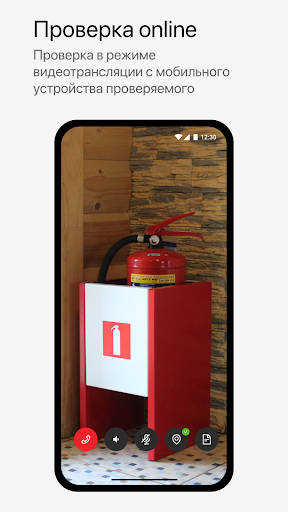
Conduct inspections and events remotely.
Thanks to the video conferencing function, it is possible to hold an event remotely, while legally recording its results and saving the video recording.
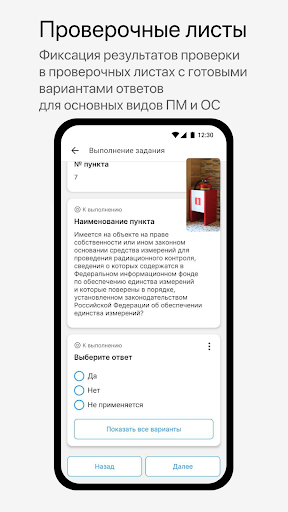
Use digital checklists.
Checklists allow you to quickly capture results and make changes during the checkout. After the verification is completed, they can be found in the card of the certified event.
Check the location of the participant during the videoconferencing.
The map in the application allows you to view the location of the verified participant during the videoconferencing and track its distance from the object of verification. Thanks to the geolocation spoofing tracking feature, users will be notified if something goes wrong.
Get the results of checks by mail and in the application.
After the event with the videoconferencing, the user can watch the video of the check in the application and send the video to the mail. Completed checklists are also available in the application and can be shared via mail and messenger.