Light File Explorer
tbmcmlxvi.lightfileexplorer
View detailed information for Light File Explorer — ratings, download counts, screenshots, pricing and developer details. See integrated SDKs and related technical data.

Screenshots


Description
Light File Explorer (LFE) is a file manager app. It shows files and folders at their actual location path starting at "/".
To use it, it is good to be a bit familiar with Android/*ux file system structure.
LFE provides many file operations:
- Open file (default, or force as text or image)
- Copy to
- Move to
- Rename
- Delete
- Compress & extract zip and gzip. No password support.
- Show checksum (MD5, SHA-1, SHA-256)
- Show properties
- Share
- Compare folders
- Create new file and folder
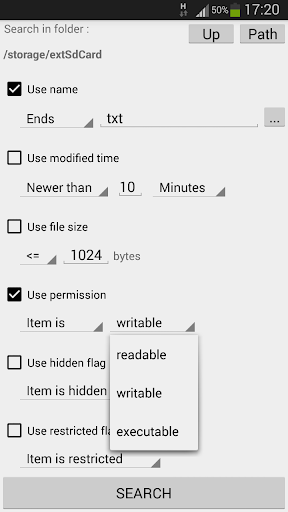
It has a very extensive search function where, for example, it is possible to have two conditions on file/folder name.
It does not have any cloud/network functions, but with the "Share" file menu option, you can invoke any such apps/features supported on the device.
LFE can have multiple browse and search views, which one can quickly switch between.
LFE has an old school ui, where all actions are accessed via three pure textual menus:
- File/folder context menu, for file operations.
- View button context menu, for view related actions.
- Main menu for various actions.
Modest permission requirements - it only asks for the storage permission.
Free and no ads.
No user/usage data collection.
Uses 0 bytes wi-fi and mobile data.
Localization: English