India Post Mobile Banking
src.com.dop
View detailed information for India Post Mobile Banking — ratings, download counts, screenshots, pricing and developer details. See integrated SDKs and related technical data.
Total installs
8.7M(8,787,672)
Rating
3.2(3 reviews)
Released
unknown
Last updated
July 4, 2025
Category
Finance
Developer
Department of Posts
Developer details

Screenshots


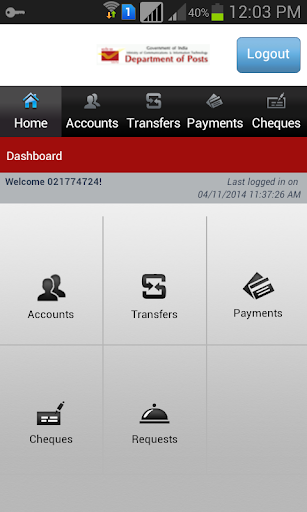

Description
Dear valued customer, Department of Post brings you Mobile Banking Application which offers banking on the go. Why to visit Post Office when you can do banking from your comfort zone anytime, anywhere using your mobile device. Yes, Department of Posts new offering to its esteemed valued customers – India Post mobile banking application.
Security Advice
For Security reasons, the application cannot be run from a Rooted Device.
Department of Post never asks you to provide your MPIN, Transaction Password, User ID and OTP (One Time Password). Please be aware of such Phishing by fraudulent.
How to Activate Mobile Banking Application
1. Download the Mobile Banking Application from Google Play store. Please don’t download from any other websites.
2. Open the application and click on Activate Mobile Banking button.
3. Enter the Security Credentials which you have provided with Department of Post.
4. No message Charges for OTP (One Time Password). We shall deliver you Activation OTP on your Registered Mobile Device. Please enter the OTP on the screen which asked you to enter the OTP and proceed further.
5. Once successfully validated you will be asked to enter 4 digit MPIN. Please enter 4 digit MPIN of your choice and you will be activated for Mobile Banking Application.
6. For login into Mobile Banking application, please enter your User Id and the new MPIN.
Help Desk
Should you face any difficulty or you have any queries, please contact our Customer care
1800 266 6868
We request you to please provide your valuable feedback and help us to serve you better. Department of Posts – Banking in your hand.