Dynamical System Simulator
simplicial.software.Systems
View detailed information for Dynamical System Simulator — ratings, download counts, screenshots, pricing and developer details. See integrated SDKs and related technical data.

Screenshots

Description
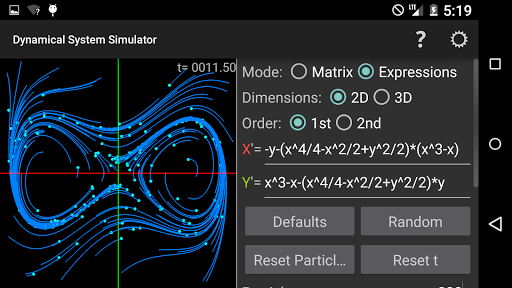
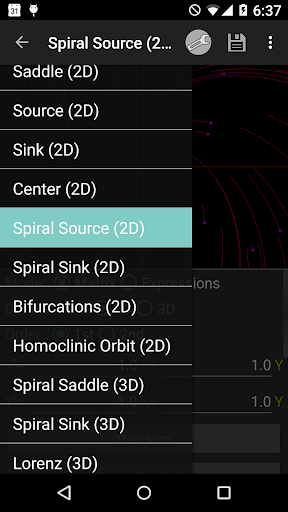
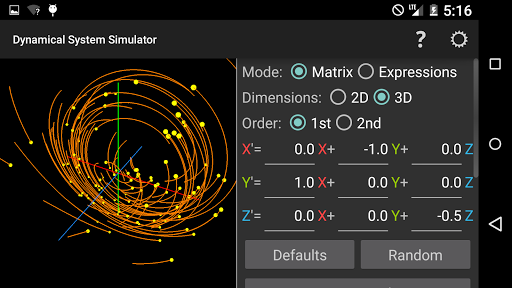
Dynamical System Simulator animates 2D and 3D first-order and second-order systems of differential equations in real time. Watch animated particles move through space leaving a trail in their wake. Great for verifying slope fields, phase portraits, and gaining an intuitive understanding of dynamical systems. Knowledge of differential equations is assumed but the help screen will point you to additional sources of information. The app is pre-loaded with several well known dynamical system configurations that can be selected from the navigation drawer. Parameters for a particular system type can be randomized.
Sample Systems:
• Logistic Population (1D)
• Periodic Harvesting (1D)
• Saddle (2D)
• Source (2D)
• Sink (2D)
• Center (2D)
• Spiral Source (2D)
• Spiral Sink (2D)
• Bifurcations (2D)
• Homoclinic Orbit (2D)
• Spiral Saddle (3D)
• Spiral Sink (3D)
• Lorenz (3D)
• Oscillations (3D)
Mode Settings:
• Matrix (linear) / Expressions (linear or non-linear)
• 2D / 3D
• 1st Order / 2nd Order
Simulation Settings:
• Number of Particles
• Update Rate
• Time Scale (including negative)
• Enable/Disable random initial velocities for particles
View Settings:
• Line Width
• Line Color
• Zooming (with pinch gestures)
• View Rotation (3D only)
In Expressions Mode the following symbols and trigonometric functions can be used:
• x, y, z
• x', y', z' (2nd Order Mode Only)
• t (time)
• sin (sine)
• cos (cosine)
• asin (arcsine)
• acos (arccosine)
• abs (absolute value)
This application was recently made open source for the benefit of students and other users of the software. Feel free to submit PRs with new features or bug fixes at https://github.com/simplicialsoftware/systems