VRTV VR Video Player
se.chai.vrtv
View detailed information for VRTV VR Video Player — ratings, download counts, screenshots, pricing and developer details. See integrated SDKs and related technical data.
- No items.

Screenshots

Description
Watch your favorite 2D and 3D videos in VR with VRTV VR Video Player and a Cardboard compatible headset! VRTV features beautiful virtual environments and is the ONLY VR video player that supports watching together with a friend in full synchronised play.
VTRV VR Video Player has great support for all common 3D/2D formats and modes including 180, 220, 270 and 360 panoramas and fisheye objective projection.
VRTV VR Video Player features:
- Synchronization feature! Enjoy watching a movie together with another Cardboard friend!
- Subtitles in SRT format, with full support for RTL languages, Unicode characters and automatic encoding detection.
- Configurable subtitle size.
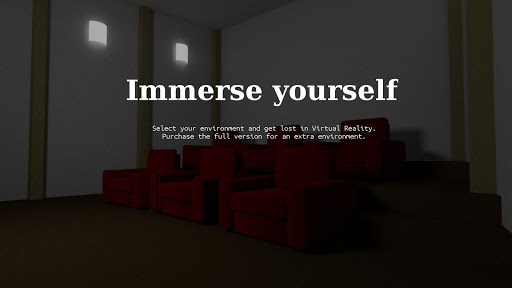
- Immersive virtual environments. Watch in your own home theater, or in a crafty cave.
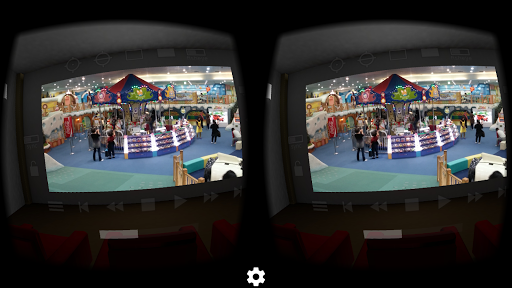
- Player controls in a great VR UI.
- Next/Previous media buttons to switch between videos.
- Fully configurable gamepad and keyboard controls.
- Supports 3D and 2D movies in a variety of formats: Side by side (SBS), Over and Under (OU, Top and Bottom), Panoramic video in 180 (Dome), 220, 270 and 360 degrees. Also supports fisheye projection videos.
- Simple material design.
- Uses the latest Cardboard SDK with less drift.
- Headset configuration from within the app. Supports several different head trackers, find the one that works best with your phone and eliminate drift.
- Streaming files over a network. Open a stream from VRTV or use your favourite browser of file explorer to open streams in VRTV VR Video Player.
- Static video mode. For long movies, lock the video in place right in front of you.
VR Button guide:
- Below screen: Open file browser and Play controls
- Left of screen: Subtitle on/off, text size, Sync on/off and Screen lock. Read more about Sync below!
- Top of screen: Re-center with timer, SDK re-center (keep horizon level), Screen-type switch, Video type switch (2D/3D Side By Side, 3D Over/Under), and fisheye projection toggle.
- Right of screen: Screen size and volume
Synchronization instructions:
- Synchronization is a feature that keeps a movie in sync between two devices. To enable sync, first set up the IP of the device you wish to sync with in Settings/General, where you can also find the IP of your own device. Do this on both phones so they have each others IP configured.
- Select a video to play. If it's a local video it must be present on both devices.
- In the VR UI, click the "sync" button on both devices to enable synchronization.
- On one of the devices, start the video by pressing the play button. After a small delay, the movie will start playing synchronized on both devices.
Seeking and network play is supported!
Feature suggestions and bug reports are always welcome!
Permission usage:
NFC, WRITE_EXTERNAL_STORAGE : Used by the Cardboard SDK to set up and save your headset configuration.
ACCESS_WIFI_STATE: Used for finding the IP of your device and displaying it in the Sync settings, to help set up synchronized play with another device.
INTERNET, READ_EXTERNAL_STORAGE: Required for accessing media on the device and for streaming.
Note: The VIBRATE permission is not used and will be removed in the next release.