Screen Mirroring Samsung
screen.mirroring.for_samsung_smart_tv.miracast
View detailed information for Screen Mirroring Samsung — ratings, download counts, screenshots, pricing and developer details. See integrated SDKs and related technical data.
- No items.

Screenshots


Description
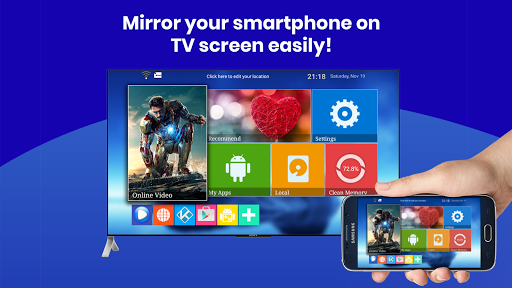
Turn any living‑room TV into a bigger, brighter Android display. Mirror your screen, stream 4 K video, or share a gaming session in seconds—no HDMI needed. “Screen Mirroring & Cast • Samsung TV” connects Samsung, LG, Sony Bravia, Roku, Fire TV, Chromecast, Miracast, and AirPlay with rock‑solid latency & HD audio.
🔑 Why users love it
• Instant pairing—auto‑detects devices on the same Wi‑Fi ✔️
• Zero‑lag gaming mode (≤40 ms)
• Full‑HD & 4 K playback for Netflix™, YouTube™, IPTV
• Flexible layouts—portrait / landscape / DeX desktop
• Private cast—stream local files without uploading to cloud
• Works with Bluetooth speakers for synced sound
• Totally free. No cables. No signup.
🛠️ How to start
1. Connect TV & phone to the same Wi‑Fi.
2. Launch the app → select your TV.
3. Tap Start Mirroring. That’s it!
🎮 Perfect for
• Watching live sports on the big screen
• Presenting slides at work or school
• Mobile gaming with a wireless controller
• Sharing holiday photos with family
• Using your phone as a touchpad on DeX
📱 Compatibility
• Phones/Tablets: Android 5.0+
• TVs & Dongles: Samsung Smart TV (2013‑2025), LG webOS, Sony Bravia, Hisense, TCL, Roku, Fire TV, Chromecast, Xiaomi TV Stick, any Miracast/UPnP receiver
• Protocols: Miracast, Google Cast, DLNA, AirPlay, Samsung DeX
❓ FAQ
• “No device found?” → Make sure VPN is off & both devices share the same 2.4 GHz or 5 GHz band.
• “Audio delay?” → Toggle ‘Sync Audio’ in Settings.
• Still stuck? Chat with us—24 h reply guaranteed.
Stop squinting at a 6‑inch screen. Download now and enjoy cinema‑size mirroring in one tap!
Keywords: screen mirroring, screen mirroring app, screen mirroring Samsung, screen mirroring for Samsung Smart TV, cast to TV, Miracast Android, AirPlay to TV, Samsung DeX, mirror screen to TV