ScanTXM
scanTXM.scanTXM
View detailed information for ScanTXM — ratings, download counts, screenshots, pricing and developer details. See integrated SDKs and related technical data.
Screenshots

Description
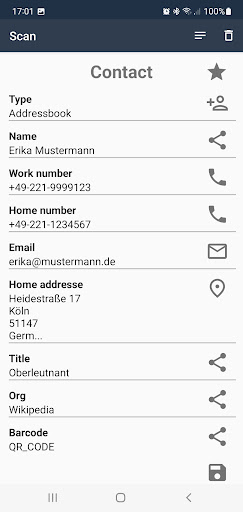
Smart Barcode Scanning: scanTXM is a powerful Android barcode scanner app. Advertisement-free. The data captured can either be saved on your Android device and/or transferred directly to a MS Windows PC (e.g., in MS Excel or SAP GUI using Windows Apps like scanTXC and scanTX).
scanTXM boasts a wide range of functions:
• 3 Scan Modes: Single scan, Simultaneous Scan of multiple barcodes in one shot or Continuous Scan (adjustable break between scans)
• Enforce "correct" scans: defined barcode type or content by using of Regular Expressions
• Duplicates: can either be ignored, blocked with an error message, or simply counted as additional entries
• Connection to Windows PC: scan data controls your MS Windows application (scanTXC – free for private use) or SAP-GUI (scanTX)
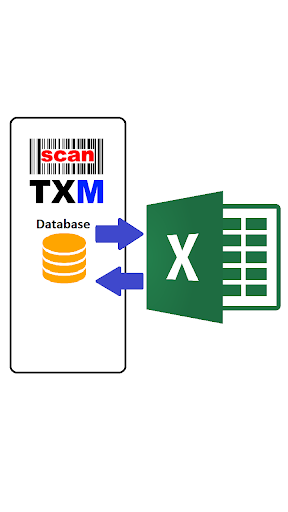
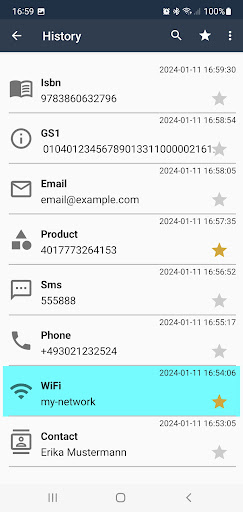
• Database: All scans are registered in the database, which can be configured and exported as MS Excel File (either to the Android device or directly to MS Windows PC).
• URL-QR scan: opens the browser directly when scanning URLs (adjustable)
• GS1: supports the GS1 standard - with FNC1 symbol and AI support!
• Adjustable OK & Errors messages: optional adjustable acoustic, visual, and tactile error/success indicators
• Inventory functionality: define (multiple) inventory runs, upload asset data, download counting results – both in MS Excel.
• Instant Photo (or file) Transfer to the MS Windows PC: take a picture on your smart phone and have it within a second on your Windows PC (using scanTXC).
• Comfort: convenient scanning in the dark (integrated light)
• Optional Search Frame
• Data buffering: transmit scanned data to the SM Windows PC when connected to the WLAN again
Icons by https://icons8.de/
scanTXM supports the following barcode types:
Aztec 2D, CODABAR 1D, Code 128 1D, Code 39 1D, Code 93 1D, Data Matrix 2D, EAN-13 1D,
EAN-8 1D, ITF 1D, MaxiCode 2D, PDF417, QR Code 2D,
Micro_QR Code 2D,
RSS 14, RSS EXPANDED, UPC-A 1D, UPC-E 1D, UPC/EAN extension