Package Manager
sarangal.packagemanager
View detailed information for Package Manager — ratings, download counts, screenshots, pricing and developer details. See integrated SDKs and related technical data.
Total installs
322.4K(322,481)
Rating
3.9(65 reviews)
Released
August 29, 2018
Last updated
October 30, 2025
Category
Tools
Developer
Sarangal
Developer details
Name
Sarangal
E-mail
sarangaldevelopment@gmail.com
Website
unknown
Country
unknown
Address
unknown

Screenshots
Description
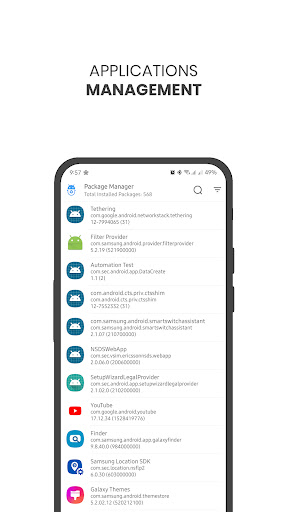
Package Manager is simple application tool which helps to get details about your device's application with some useful management operations.
It comes with "All APKs" which help users to manage backups of applications.
With the help of APK Analyzing Technique, User can check APK's details before install them from Unknown Sources, by share them to Package Manager.
Features of Package Manager:
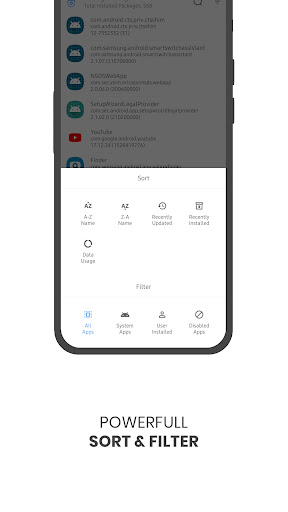
* List of All Pre-Installed or System Applications
* List of All User Installed Applications
* List of All Disabled Applications
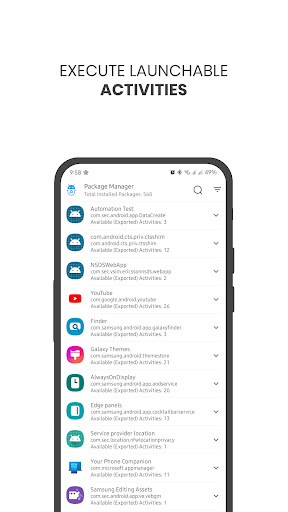
* List of All Activities contain in Applications.
* Find All APKs from Device Storage at One Click
* APK File Details (with Share Intent)
* Data Usage of the Application
* Export Application Manifest XML File and App Icon
* Useful Links: Apps, Storage, Battery Usage, Data Usage, Usage Data Access and Developer Options
* Dark Mode
* Multi Language Support
Some Useful Operations for Your Applications:
* Launch
* Share
* Backup
* Find App on Multiple Stores: Google Play Store, Samsung Galaxy, Huawei, Xiaomi, F-Droid, Aptoide, Apkpure and Uptodown
* Share Google Play Store Link of the Application
* Add Shortcut to HomeScreen (If Application can be launch directly)
* Manage
* Check Full Details
* Uninstall
* Root Features: Uninstall, Freeze, Un-freeze, Clear Cache, Clear Data and Force Stop
# Kindly Share Your FeedBack Which Will Help To Improve The Application.
You can suggest us new feature directly via 'Write Us' option from the app or Email us at: sarangaldevelopment@gmail.com.
Thanks & Regard,
Sarangal Team