Text editor SimpleEditor
ru.wallst.igorsoft.simpleeditor
View detailed information for Text editor SimpleEditor — ratings, download counts, screenshots, pricing and developer details. See integrated SDKs and related technical data.
- No items.

Screenshots


Description
FOR SMARTPHONES AND TABLETS
The file editor can work in two modes: editing and reading.
What are the possibilities in EDIT mode?
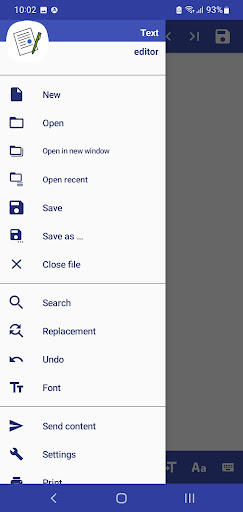
* Create, open, modify and save files (txt, xml, html, css, svg, log files...) in different encodings (more than 200 encodings).
* Edit files in internal storage and on removable media (SD cards and USB sticks).
And also on cloud services: Google Disk, Microsoft OneDrive and DropBox.
Editing files on cloud servers that support WebDAV technology: Yandex, Mail.ru, Synology and others.
Edit files on FTP servers.
* Open multiple files in different windows.
* Search the file for a piece of text and replace one piece with another.
* Undo the last changes.
* Change the case of both the entire text and the fragment.
* Send text (to e-mail, SMS, instant messengers, etc.) and receive text from other applications.
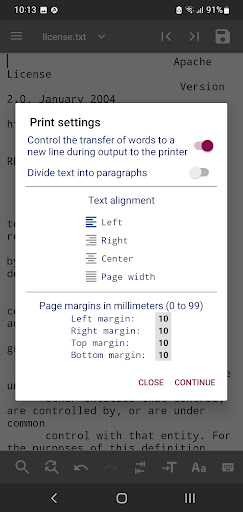
* Print text (on printers associated with your account).
* Load fonts from TTF and OTF files.
* If you connect a USB keyboard, you can edit the text just like on a personal computer.
(You can read about the assigned keyboard shortcuts on the website http://igorsoft.wallst.ru/en/pages/page4.html#Q26 )
* Maintain a list of recently opened files and automatically open the last file when the application starts.
* Automatically save changes to the file.
* Highlight markup language syntax (*.html, *.xml, *.svg, *.fb2...)
* A choice of 8 color schemes (including "Dark" theme).
* Add symbols from the UNICODE table (including emoji) to the text.
* Voice typing.
* Automatically detect file encoding.
In READ mode, the editor can open large files (1 GB or more).
The editor can be launched in the usual way, as well as from the context menu ("Open with ..." and "Send / Forward ...") of other applications (for example, file managers or browsers).
NOTES.
If you try to open a large file in edit mode, there will be delays when opening and scrolling.
The optimal file size depends on the file type (text or binary) and device performance.
Detailed instructions and questions that may arise when working with the editor are on the website igorsoft.wallst.ru