RuDesktop
ru.desktop.flutter_hbb
View detailed information for RuDesktop — ratings, download counts, screenshots, pricing and developer details. See integrated SDKs and related technical data.

Screenshots


Description
Manage remote desktops where there is Internet access.
The RuDesktop mobile application is designed to organize sessions of secure access to remote desktops from a mobile device.
RuDesktop has successfully passed the "state registration of a computer program" and is included in the register of Russian software under No. 15913.
Functions:
• Providing access to smartphone management.
• Smartphone control of other remote devices: Android, Windows, macOS and Linux (Alt, Astra, Debian, RedOS, Ubuntu).
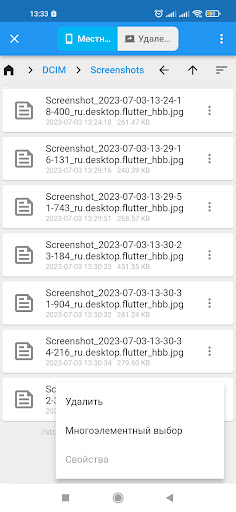
• Transfer files between devices without intermediaries: from the internal storage of one device to the storage of another.
• Manage Access Level: Only share the screen or grant access to controls and clipboards.
• Controlled access with a temporary password.
• Customizable uncontrolled access with a permanent password.
• The address book.
• List of recent connections.
• Flexible search for address book contacts by ID, device name, username, alias and tags.
• Customizable image quality.
• Support for multiple monitors.
• Disabled automatic recording of incoming sessions.
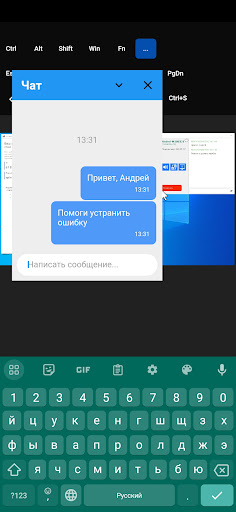
• Text chat.
Advantages:
• Russian development.
• No ads.
• Stack of modern technologies.
• Secure connection.
• Data encryption with modern protocols and algorithms.
• Flexible licensing and clear pricing.
RuDesktop uses the Android Accessibility API to capture screen content and create gestures for remote control.
By granting RuDesktop permissions, users allow the application to access and process screen content and user interaction for remote control purposes. This data is securely transferred between the user's device and the remote device and is not stored or used for any other purpose.
It is important to note that enabling permissions for RuDesktop gives the app access to sensitive information on the user's device. Users should only install apps and share them from trusted sources.
Please be aware that some features and functionality of RuDesktop may be disabled if permissions are not granted. If you choose not to enable access permissions, you will not be able to use the remote management features.