Rotate Pdf Pages
rotate.pdf.pages
View detailed information for Rotate Pdf Pages — ratings, download counts, screenshots, pricing and developer details. See integrated SDKs and related technical data.
- No items.
Screenshots


Description
You can now rotate pdf pages online on your mobile devices using this pdf pages rotator app. You can rotate pages either by individual pages or all pages at once. With this app, you have various options to rotate your page at an angle. This app currently allows you tto rotate your pdf in angle 90, 180, 270 and 360.
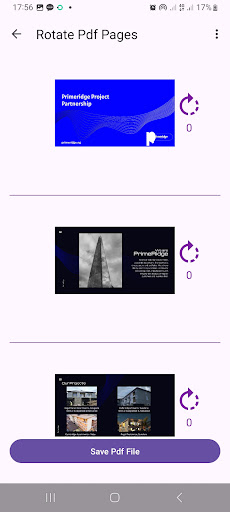
Its very easy and quick to use this app, all you need to do is to launch the app, select the pdf document you want to rotate its pages. The app would automatically extract out all the pages of the pdf document and display them on your screen along side with a rotate icon beside each page. Click on the rotate icon beside a pdf page to rotate that page. When you are done, you can now click on the the Save Pdf button to save your changes and generate a new pdf document
HOW TO ROTATE PDF PAGES
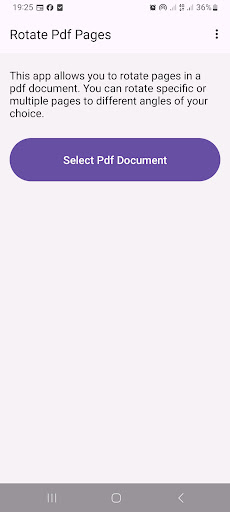
1. Open this app, then click on the Select Pdf Button.
2. The app would automatically extract all pages in the pdf document.
3. Click on the rotate icon beside each pages to rotate to your desired angle.
4. Click on the Save Pdf button to save your changes and generate a new Pdf File.