QWK CHAT
qwk.chat.message
View detailed information for QWK CHAT — ratings, download counts, screenshots, pricing and developer details. See integrated SDKs and related technical data.
Screenshots

Description
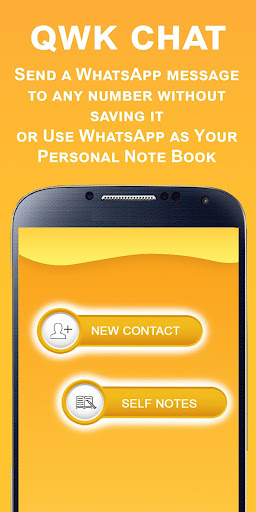
Send a WhatsApp message to any new number without saving it.
QWK Chat app will help you to send WhatsApp message to any mobile without having to save the
number in your contacts first.
Say, you just met a friend or a business associate. And you need to a send a WhatsApp message to his
number?
Taking down his number, then saving it and then again search it in WhatsApp before you can send a
message. This is tedious and slow.
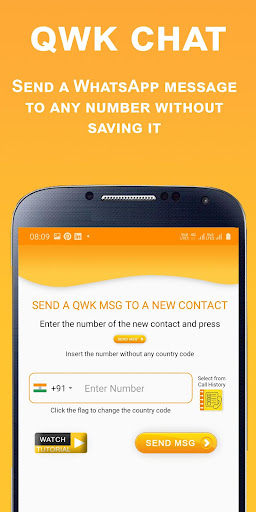
With QWK chat App, you can send a quick WhatsApp message without having to save his number first.
Just type the number and that’s all – You are ready to send a new message to your friend.
You can always save the number later.
You can also send a quick WhatsApp message to someone you just spoke to or missed a call from.
QWK Chat gives you the option of accessing your call history. All you have to do to select the number
and that’s all. You are ready to send a new WhatsApp message t the number without saving it.
It also gives you the convenience of sending a WhatsApp message directly from the call log history.
You also have the option of sending a message to your own number and use WhatsApp as your personal
note pad.
Type the note that you want to save or paste a name, number, or email address that you have copied.
Or send your self the website that you wish to visit later. And click the SAVE NOTE button to send it your
number.
From your inbox, select your number and click the Pin icon to ensure your number ALWAYS is right on
the top, for fast and easy access. It's Quick. It's easy.
Download now and to find out more!!
----------------------------------------------------------------------------------------------------------------------------------
Visit our Page: https://3rdivisuals.com/index.php/qwk-chat
Our Privacy Policy: https://3rdivisuals.com/index.php/qwk-chat-privacy
Our Terms and conditions: https://3rdivisuals.com/index.php/qwk-terms
-------------------------------------------------------------------------------------------------------------------------------------
We need access to call history for users to choose from the list to send a message to.
Please refer to the NEW CONTACT option and click on the "Select from Call History" Icon. This shows all
the list from the call lag. The user can select any number to send a message via WhatsApp without
saving the number in his contacts.
Please refer to the video specially from 25 seconds onward that shows how and why the call log is
accessed in this app.
https://www.youtube.com/watch?v=z9rqJT4wTeA