Trails Tatra Mountains
pl.mgaczkowski.tatry
View detailed information for Trails Tatra Mountains — ratings, download counts, screenshots, pricing and developer details. See integrated SDKs and related technical data.
Screenshots



Description
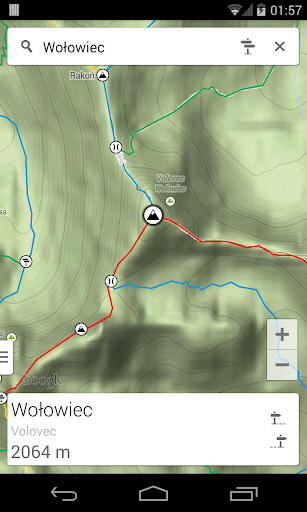
Going on a trip to the Polish or Slovak Tatra Mountains? Whether you're planning to walk around the Morskie Oko lake, climb the Rysy summit or hike along the Orla Perć trail, use this interactive Tatra Mountains Trails map.
The key feature of the application is a trail calculator that searches for the best route and estimates total hiking time. You just need to select the starting point of the hike and your destination. The application will calculate the fastest or the shortest route, display it on the map and show details such as estimated time, distance to be covered, altitude difference and an approximate level of technical difficulties.
The whole functionality of the application:
- Interactive trails map;
- Searching for places available for sightseeing;
- Information about peaks, passes and trail crossings;
- Hiking time along each trail;
- Distance, total ascent and difficulty of each trail;
- Finding the quickest or the shortest route;
- Route profile graph.
Question: How to enter the planning trip mode?
Answer: After loading the application click the signpost icon in the search panel. Select the starting point and then all the next points you want to visit. To change the selected points use the back button of your mobile device.
Question: How do I change the map mode or the search mode?
Answer: Click the handle on the bottom left corner of the screen or perform the slide gesture from the left edge of the screen. Select your option in the panel.
Question: How to show route profile graph?
Answer: Create route by entering planning mode and clicking points you want to visit. Then click on summary panel to display route listing. Swipe left to show profile graph.
The application is free and has no ads! We hope for a positive feedback from the users and we will try to provide new features. Please send your suggestions, ideas, error reports or inaccurate information.