EBO IBS Bank
pl.bsizbica.ebomobilepro
View detailed information for EBO IBS Bank — ratings, download counts, screenshots, pricing and developer details. See integrated SDKs and related technical data.
Screenshots


Description
In the completely new EBO IBS Bank mobile banking, we focus primarily on security, modern design and intuitive operation.
Download the application for your smartphone and gain reliable, fast and convenient access to banking products. Control and manage your finances - wherever you are, whatever you do!
EBO IBS Bank - functionalities:
User profile:
- Selecting a secure login method: PIN, biometrics, two-factor authentication
- Ability to choose application themes
- Quick access to the most used products and services
- Account balance preview before logging in (amount or percentage)
- news, announcements,
- Information about the application and contact details of the Bank
Access to owned banking products:
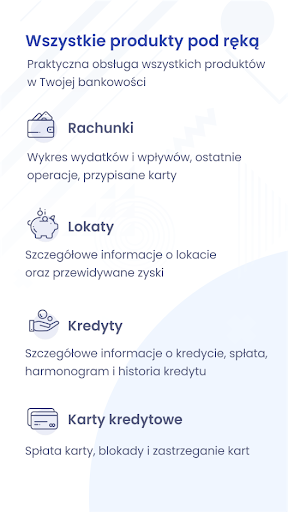
- access to personal and business accounts
- ROR and savings accounts: view of the account balance, transaction history
- Information about owned credit and debit cards along with transaction history
- Loan status preview (loan schedule)
- Controlling term deposits
Payment:
- transfers to defined recipients - viewing the list, adding and removing recipients
- domestic ordinary and express transfers,
- payment with QR code,
- transfers to the Tax Office,
- phone top-ups,
- transfer of orders and packages
ATMs and branches:
- list of branches and ATMs
- geolocation of the nearest ATMs and bank branches (Google Maps)
Use mobile banking safely! Install applications from trusted sources,
from trusted suppliers. In order to increase the level of security, update the application after a new version is released.
Remember! The bank never asks for a password or PIN.