Desktop Experience with Chrome
p4nd4.desk4chromecast
View detailed information for Desktop Experience with Chrome — ratings, download counts, screenshots, pricing and developer details. See integrated SDKs and related technical data.
- No items.
Screenshots
Description
Watch the app video for full tutorial!
This is a helper app that will decrease brightness of your phone or tablet and force it into a landscape mode (in any app!), so it's ready for casting and uses less power - requires only two taps to use your phone like a PC - it's like a docking station your your phone!
Write documents, enjoy games, browse the web - all on your TV.
When you're done, just tap the notification and disconnect from your Chromecast device.
For best results I recommend connecting your favorite keyboard and mouse using USB OTG (on-the-go) or using Bluetooth.
Note that some devices are incompatible with screen mirroring, alternatively you can try installing Google Home and check if that helps.
For advanced users I recommend setting the higher DPI on your device - it will give better results on a big screen.
Happy casting!
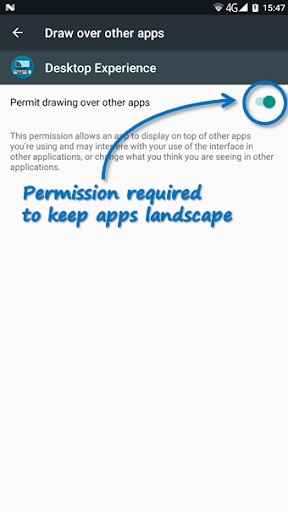
Permission required by the app are solely for enforcing landscape and cannot be reduced with current Android permission model, sorry!
App has been tested on devices with Android 4.4.4, 7.0 and emulator with 8.1.