Budget
org.budget
View detailed information for Budget — ratings, download counts, screenshots, pricing and developer details. See integrated SDKs and related technical data.

Screenshots

Description
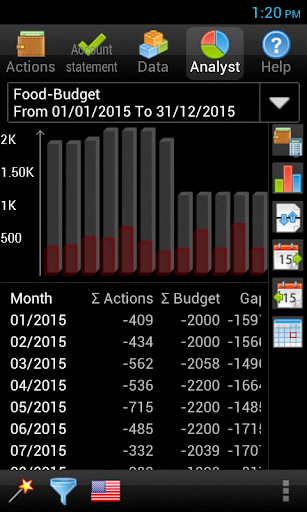
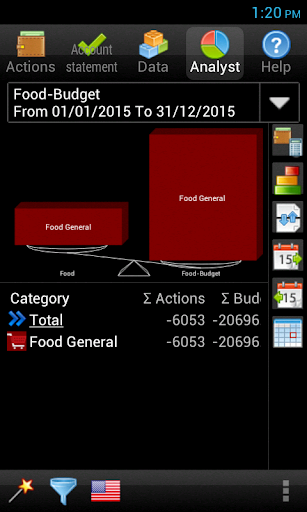
Budget planner & expense manager free app. Create virtual envelopes of money and track each expense by taking money from these budget envelopes. IN ORDER TO USE THIS APP YOU MUST INSTALL ALSO HANDWALLET EXPENSE MANAGER.
How to work with budget?
1.Download Budget AND HandWallet Expense Manager
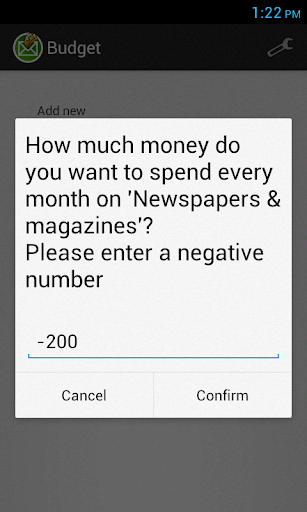
2.Define as many budget envelopes needed. Each envelope represents a monthly budget on a category that we want to track.
For example:
Envelope of money for restaurants
Envelope of money for clothing
and so on
3. Whenever you purchase something press the envelope and reduce the relevant amount from the budget.
The envelope will always show you how much money you can still spend by the the end of the month without passing the budget limitation.
May be used for:
- Planning a budget for a trip. Decide how much you want to spend on each category of the journey and let the app do all the hard work of exchange rates for you.
- Track car expense.
- Building or purchasing a house? decide how much to spend and avoid surprises.
Key feature
• Free budgeting app
• Track income & expenses. Classify all your financial activities to categories
• No need to type - more than 150 categories and sub categories
• Weekly / monthly / yearly budgeting for each category
• several types of budget for example fixed budget, summarized budget (the budget of a main category is the sum of budgets of sub categories), percentage of main (the budget of a sub-category is a percentage of main category) and so on.
• All types of accounts supported: cash, credit card, bank account, electronic wallet or gift card.
Budget widget:
This budget app includes also a widget (a "widget" is a small tool that you can put on the home screen of your phone). In order to use the widget make sure you install the app on main memory and not SD card.
To put the widget on the home screen of the phone press the app tray and then "Widgets". Select the budget widget and put it on an empty place on the home screen. Watch this video for help:
http://www.youtube.com/watch?v=4lMHyKFl5zo