Remote Keyboard
oldplanets.com.wireboard
View detailed information for Remote Keyboard — ratings, download counts, screenshots, pricing and developer details. See integrated SDKs and related technical data.
Screenshots
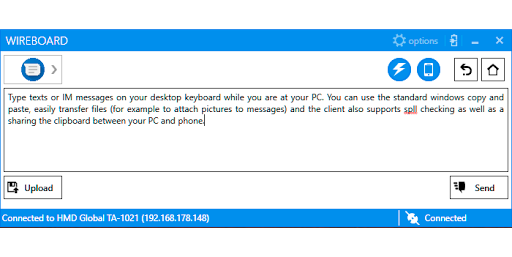
Description
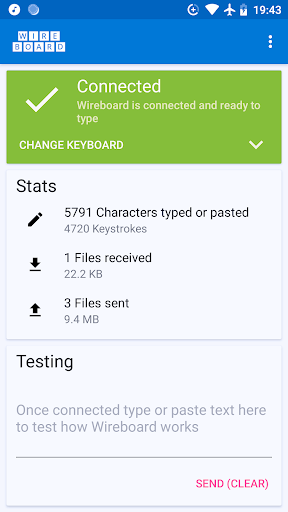
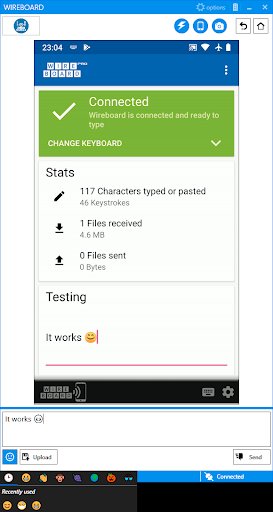
Wireboard lets you use your PC as remote keyboard to type on your phone or tablet via WiFi. It is for everyone who prefers to type on a computer keyboard rather than the small touchscreen of your phone, for example while texting and chatting with friends or when trying to copy a long URL from/to your phone.
Features:
* Easy to use and comfortable typing on your Windows PC, including all the standard features like copy and paste, spell checking, etc
* Sharing files between your phone and PC over WiFi, for example to attach an image to a chat
* Shared clipboard functionality
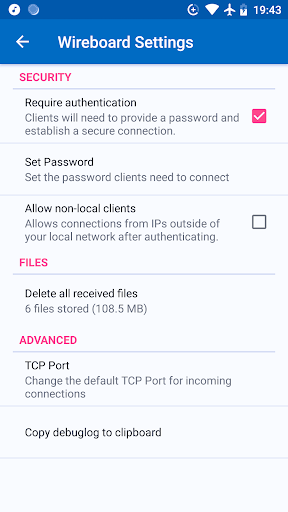
* Encrypted connections - so it's safe to use in a public WiFi
* No cloud, third party server, etc involved. All your data stays in your local network
* Mirror your phone's screen to your PC and make typing text even more comfortable (Pro version)
Requirements:
- Besides this app you will have to install the Windows client (for Windows 7 and higher with .Net 4.7 or Windows 10). It's free, open-source and contains no advertisement. You can get it on https://www.wireboard.net.
- Your phone and PC need to be in the same local network (usually via WiFi)