Escape Room Admin
nz.escapemasters.escaperoommanagementapp
View detailed information for Escape Room Admin — ratings, download counts, screenshots, pricing and developer details. See integrated SDKs and related technical data.

Screenshots



Description
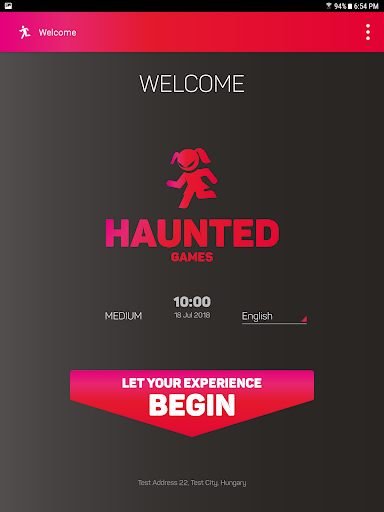
Uprage your escape room business to the next level with Escape Room Admin. Improve your customer service, escape room experience and overall your business efficiency with the latest technology available. It’s a customisable, user-friendly solution that can be easily implemented anywhere in the world.
Main features:
- Online customer check-in (Player registration, waiver, safety and game rules presentation.)
- Uninterrupted escape experience (Players can scan QR codes or call for help with the app.)
- Instant, transparent and open ranking (Players can see their ranking in the app right after the game.)
- Automated photo management (Group photos can be taken before and/or after the game. Photos can be shared with all the Players instantly on social media or via email.)
- Efficient room re-set management (Staff can easily reset the escape rooms using the guide found in the app.)
- Multi-language operation
- Multi-branches management
- Game profiles (to customize all the parameters to your game - difficulty levels, game time, number of help, a penalty for using help... etc.)
- Background music during the game
- Statistics to improve your game design and/or your staff
- Customer feedback management
- Follow-up emails
- Supplier collaboration
- Booking system integration
- Room maintenance management
- Single application mode
- and many more...
ATTENTION: This app uses the Device Administrator permission.
To separate the different use cases in the app, different access levels are defined in the system:
- Player: Can only use the app in Single Application mode (cannot leave the application), they have limited access to the screens/functions and no access to the settings menu.
- Escape Room Staff: Can only use the app in Single Application mode, they can access all the screens/functions with there unique code, but they can not access the settings menu.
- Escape Room Administrator: They can access all the screens/functions with their unique code and they can access the settings menu with the default password "3762". In the setting menu, the default password can be changed or the Single Application mode (BIND_DEVICE_ADMIN permission is used) can be turned on/off. After the app installed in a new branch, the first user has Escape Room Administrator access, therefore all the other access levels can be set/managed by the Escape Room Administrator.