SIMPLI App TINE
no.simpli.app.tine
View detailed information for SIMPLI App TINE — ratings, download counts, screenshots, pricing and developer details. See integrated SDKs and related technical data.

Screenshots


Description
SIMPLI App for SharePoint is designed to easily interact with any SharePoint database whether its on Office 365, on your internal SharePoint servers or your hosted server.
This app handles login to Office 365 and SharePoint using FBA (Form based authentication), 365 authentication or ADFS.
It is made to read from and display and write to SharePoint lists and pages.
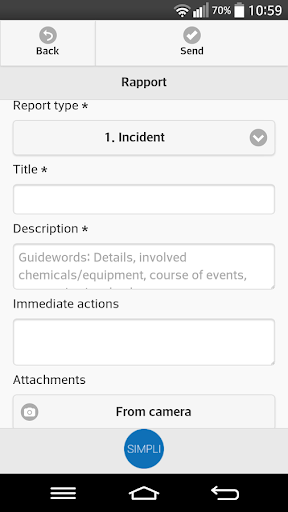
Through our intelligent SharePoint component, you design your own forms for input.
You can also present information from SharePoint in your own ways for the app users.
The app lets you send all types of data to your lists and lets you for example take pictures and acquire GPS location to send in with your forms. You may also search and make choices in list Lookup fields and BCS - BDC (Business Connectivity Services) external data columns before you send your form. The setup of the app also allows for accessing multiple SharePoint sites.
To make setup easy for your employees, we provide a profile ID where setup data is automatically filled in for your employees leaving only username/password for the user to register.
The user may select different font sizes to fit their preference. The app can so far display menus an forms in three languages: English, Swedish and Norwegian. More languages may be added by request.
Data can be registered Offline with a Title, description and pictures. Offline data are filled into forms to send in when you are again connected.
The app is found on all three major platforms stores: Android, iOS and Windows.
To use the app in your own organization a SharePoint component must be installed on each SharePoint site collection you want to access. This component gives permission to access the different lists and enables setup of company logo, predefined forms and many other options. For more information about the app, how to test it and how to purchase the SharePoint component contact SIMPLI at http://www.simpli.no