Gereedschapbeheer
nl.gereedschapbeheer.gbapp
View detailed information for Gereedschapbeheer — ratings, download counts, screenshots, pricing and developer details. See integrated SDKs and related technical data.
- No items.

Screenshots

Description
The Gereedschapbeheer.nl equipment management app gives you insight into the status of your equipment and tools anytime, anywhere.
With the Gereedschapbeheer.nl app you have quick and easy insight into the status and location of your work equipment using your mobile phone. Some highlights:
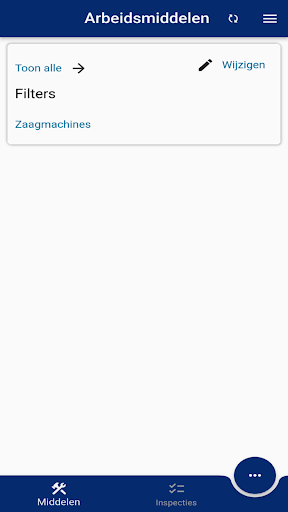
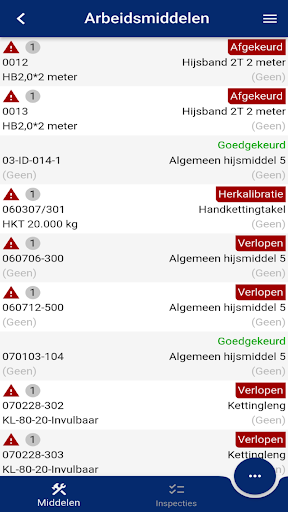
- Quick insight into inspection status and location of your tools.
- Quick insight into which tools should be present at your location.
- When using track and trace, you can quickly see whether everything is actually present.
- Integrated track and trace functions.
- Carrying out inspections
- Adjusting work equipment status and use
The Gereedschapbeheer.nl app is a supplement to our web tool Gereedschapbeheer.nl, the GB Mobile app, our app for inspections (GB Inspect) and our app for warehouse management (GB Scan). This gives you complete online automation of your equipment management. The functionalities of Gereedschapbeheer.nl are very extensive, some main points are:
• User-friendly web-based application.
• Practical, handy overview of the locations where your work equipment is located.
• Automatic timely notification by email about when your work equipment needs to be inspected, maintained and/or calibrated.
• Being able to easily and quickly adjust the inspection status, location and other data, possibly in one action for several selected resources.
• Uploading files such as manuals, purchase and warranty certificates, drivers and other programs, calibration reports and inspection documents and linking them to the relevant ID. This way you always have quick access to your tool-related files.
• Mobile app for reading and changing inspection status and/or user using a smartphone.
• GB Inspect tablet app. You can use the tablet app to enter inspections (even without internet if desired).
• Handheld app for fast warehouse management using barcode and/or RFID.
• Read out inspection results from your NEN3140 appliance tester, after which the database is automatically updated and you can print the inspection reports at the touch of a button.
• Various optional modules that allow you to expand the functionality of the software as desired.
• Various options to configure the application to your own wishes.
• IoT location determination / track and trace.
NB: A Gereedschapbeheer.nl account is required to use this app. Go to http://www.toolsbeheer.nl/demo/ to register a free demo account.