GB Inspect
nl.gereedschap.beheer
View detailed information for GB Inspect — ratings, download counts, screenshots, pricing and developer details. See integrated SDKs and related technical data.

Screenshots
Description
While inspecting tools, hoisting equipment, ladders, scaffolding, etc. you can enter the data directly on your tablet. In any required location. No internet? GB INSPECT saves your data offline and updates the database as soon as you are online again. You do not have to complete any forms or Excel files. The checklists you defined in advance can be completed directly on the tablet. All the information about the inspections is saved on the tablet. GB INSPECT is user-friendly, uses little energy and is lightning-fast thanks to the tablet hardware. You will always have the most recent information regarding the inspection of your tools, hoisting equipment, fire extinguishers, etc. Naturally, the system is highly secure.
Functions of GB Inspect:
• Entering new pieces of equipment/tools.
• Modifying pieces of equipment/tools.
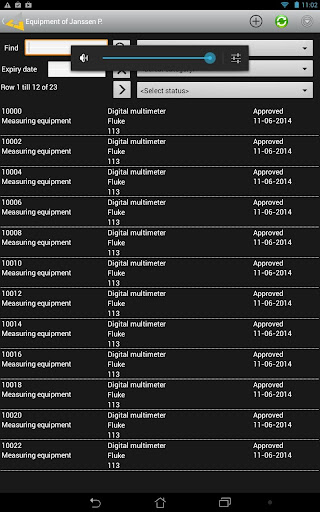
• Clear screens with useful search and filtering options, through which equipment to be inspected can be easily found.
• Scanning of a 1D/2D barcode using the tablet camera.
• Assigning equipment to a user/project/client/location.
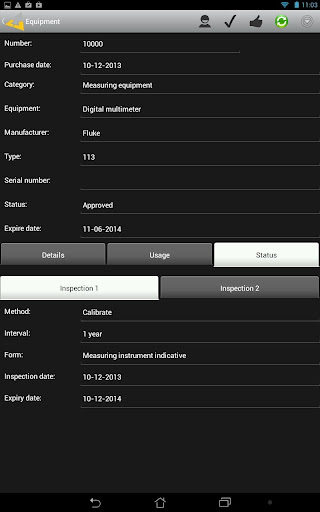
• Modifying the inspection status of the equipment.
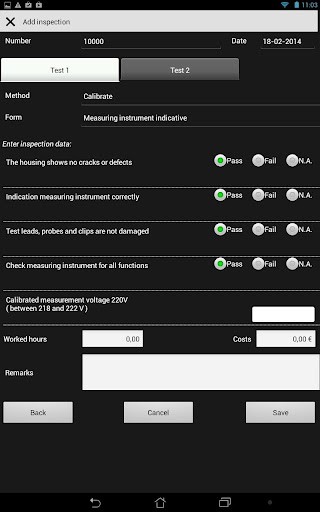
• Entering inspection lists after which the results of the inspection are immediately processed in the status of the relevant piece of equipment.
• Offline database with automatic synchronisation with the online database.
Note: An Gereedschapbeheer.nl account is required in order to use the app. Go to https://www.gereedschapbeheer.nl/en/demo-2/ to register a free demo account.