Senary Smart Launcher Theme
nightsstarflake.sltheme.senary
View detailed information for Senary Smart Launcher Theme — ratings, download counts, screenshots, pricing and developer details. See integrated SDKs and related technical data.
- No items.

Screenshots



Description
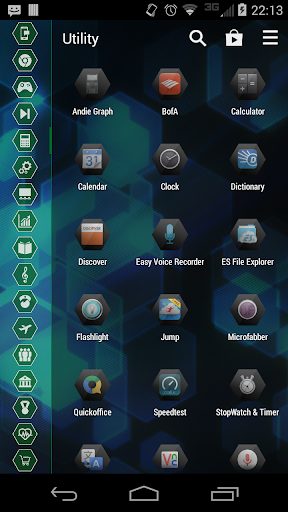
Senary is a theme for GinLemon's Smart Launcher application built on hexagonal shapes. It provides a clean, green interface on a softened blue background, but is easily customizable to fit your needs.
The recommended icon pack for this themes is Deep-Six (https://play.google.com/store/apps/details?id=com.nightsstarflake.deepsix), which is based on aninfinitedesign's Hex Icons pack (https://play.google.com/store/apps/details?id=com.hexicons.awesome). The main difference between both packs is that Deep-Six does not use circular placeholder graphics for high resolution devices.
To enable this theme in Smart Launcher, open the Application Drawer, press the Preferences button, select Theme, then press the listing for Senary. (NOTE: New versions of application icons are not refreshed when a theme is downloaded, or when it is reloaded within the theme menu. In order to view icon updates, please load another theme, such as the application's default theme, and then load the updated Senary theme.)
Icon designs used for this theme are the work of Freepik from FlatIcon.com (CC BY 3.0).