Secrets for Android
net.tawacentral.roger.secrets
View detailed information for Secrets for Android — ratings, download counts, screenshots, pricing and developer details. See integrated SDKs and related technical data.
- No items.

Screenshots

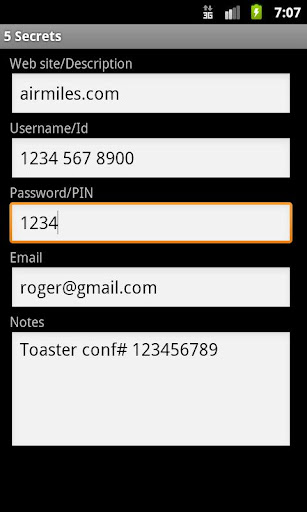
Description
Secrets for Android securely stores and manages passwords and secrets on your Android phone.
User guide:
https://github.com/rogerta/secrets-for-android/blob/master/README.md
Enable online backup (or how to upgrade to a new phone):
https://github.com/rogerta/secrets-for-android/blob/wiki/Upgrade.md
To access your secrets on your PC, give Chris Wood's PCSecrets a try. You'll need the following:
- PCSecrets running on the PC. Get it from source forge: http://sourceforge.net/projects/pcsecrets/files/?source=navbar
- PCSSync, a companion android app that keeps your secrets on the phone in sync with the PC. Get it directly from the Play Store: https://play.google.com/store/apps/details?id=com.ceperman.sync
Chris and I worked closely together to make sync as easy and secure as possible. Let us know what you think on the discussion forum: https://groups.google.com/forum/#!forum/secrets-for-android
PCSecrets is also a good way to transfer secrets to a new phone. First make sure to keep your existing phone in sync with your PC. When you get a new phone, install Secrets for Android and PCSSync, and sync. You're done!