FirstWatch
net.firstwatch.tablet.fwapp
View detailed information for FirstWatch — ratings, download counts, screenshots, pricing and developer details. See integrated SDKs and related technical data.
- No items.
Screenshots

Description
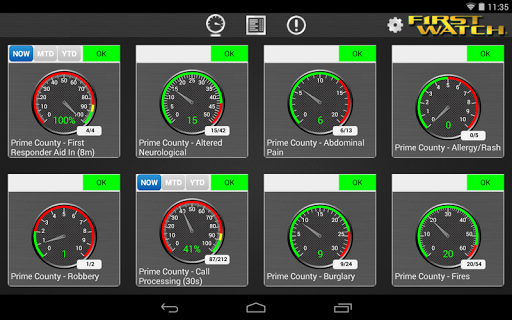
Near real-time public safety and public health performance, operational and clinical compliance data at your finger-tips via your tablet, that’s FirstWatch!
911, EMS, Fire, Law Enforcement and Public Health teams across the USA & Canada count on FirstWatch every day, as we monitor CAD, ProQA, ePCR, RMS and Hospital data in real-time, automatically. The ability to understand and correct a problem in real-time saves time, money and keeps your team informed.
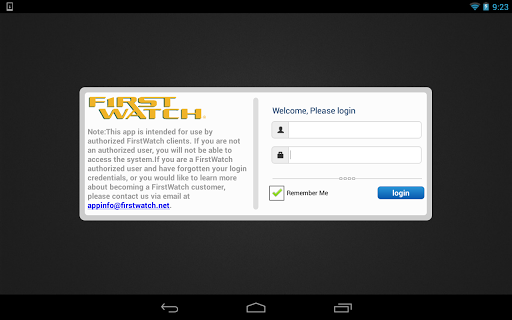
This App is intended for use by authorized FirstWatch clients. If you are not an authorized user, you will not be able to access the system.
Real-Time Dashboards for:
Situational Awareness
Response Times & KPIs
Clinical and Operational Performance
Automated Alerting
Regional Data Aggregation & Sharing
Bioterrorism
Pandemic/Public Health Surveillance
Key Features:
Gauge Drilldown – Drill into each individual gauge for a more in-depth trigger summary, including a link to view the full trigger via the FirstWatch system in your web browser.
Trigger Listing – Self-select to view the status of your performance based or trend based triggers.
Alert History – View a complete alert summary including the time each alert was sent.
Event Listing – Dynamically sized event listing for each individual trigger.
Mapping – Event locations plotted out using Apple maps. Performance based triggers use red and green pins to represent events occurring within or outside of the set standard.
Upon downloading this application, all triggers you are currently subscribed to will automatically load into the App and be made available for you to set up in your mobile dashboard however you like.
If you are a FirstWatch user and forgotten your login credentials, or you would like to learn more about becoming a FirstWatch customer please contact us via email at appinfo@firstwatch.net
Your mobile carrier’s data rates may apply.