Disable Camera
lockcamera.blockcamera.disablecamera
View detailed information for Disable Camera — ratings, download counts, screenshots, pricing and developer details. See integrated SDKs and related technical data.

Screenshots
Description
Note: This app will not work in Android 10 and above.
Use Case:
1. You suspect one or more apps are using your camera without your knowledge
2. You are in some secure location that camera usage is forbidden
3. You don't want someone to use your phone to take some pictures
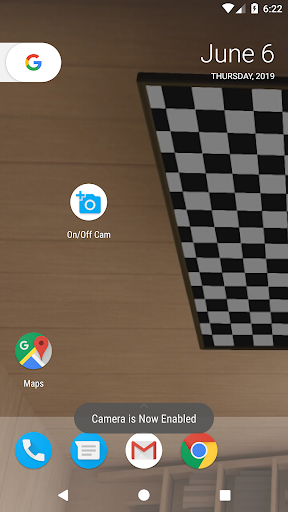
4. Your camera is disabled by some apps and you want to re-enable it (works only if it was disabled using Device Admin - Disable Camera)
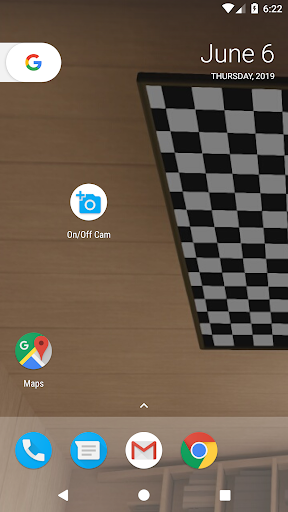
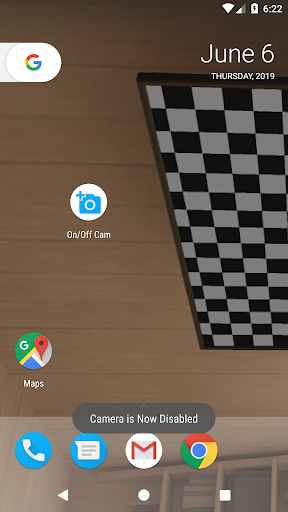
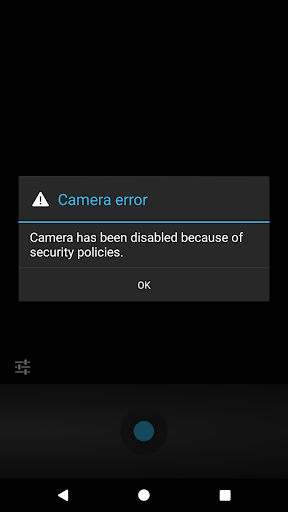
Disable or enable your camera. One touch on the screen and the camera is disabled. No apps will be able to use the camera. Some of these apps may crash if they do not handle unavailability of camera gracefully. Do note that if you disable the camera, it will stay disabled even if you off/on the device.
We recommend to enable the camera and test it is working before you remove this app.
This app uses the Disable Camera function in Device Admin, and thus this app will require activation in the device admin menu setting. To uninstall this app, you have to deactivate the app in the device admin menu setting first. Then you can proceed to uninstall the app.
Tips: Some application use this method to make it difficult for users to uninstall them.
Features:
➤ Free, No ADS and No root required
➤ Simple to use, no manual required
➤ Supports Phones, Tablets, Android™ TV Boxes
➤ Supports Android™ KitKat, Lollipop, Marshmallow, Nougat, Oreo, Pie
➤ Good resource management, No frills, minimum RAM & CPU
➤ App do not use any CPU or RAM when it is not activated via touch
➤ When activated, the app will enable or disable the camera and then kill itself
➤ Safe and Privacy focused, no servers and DOES NOT connect to the Internet
➤ No Android™ Permission required, zero, zip, nadda, none, period
➤ Check the permission required by other similar apps and you will agree that this is the BEST app for Camera Enabling/Disabling in comparison
We develop this app because we need it for some of the suspect phones we deal with. This app serve our needs and may be useful to you.
For peace of mind, for privacy, for not trusting anyone.
Note: This app will not work in Android 10 and above.