German Dictionary Offline
livio.pack.lang.de_DE
View detailed information for German Dictionary Offline — ratings, download counts, screenshots, pricing and developer details. See integrated SDKs and related technical data.
Total installs
1.8M(1,876,277)
Rating
4.6(91 reviews)
Released
May 17, 2014
Last updated
April 25, 2025
Category
Books & Reference
Developer
Livio
Screenshots
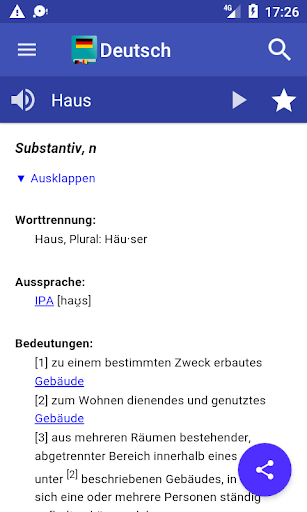
Description
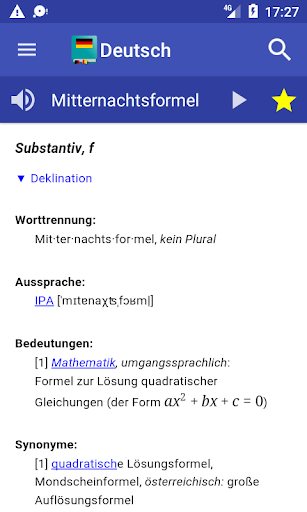
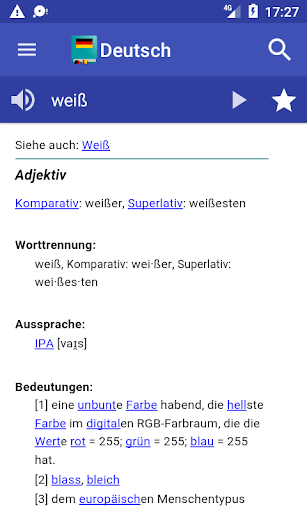
The free offline German dictionary application explains the meaning of German words! Definitions are based on German Wiktionary. This is a monolingual German dictionary: words must be entered in German language.
Features
♦ More than 174000 words and large number of inflected forms
♦ Fast as it works offline, internet is used only when a word is not found in the offline dictionary
♦ You can leaf through words using your finger (swipe right and left)
♦ Easy and functional user interface, optimized also for tablets
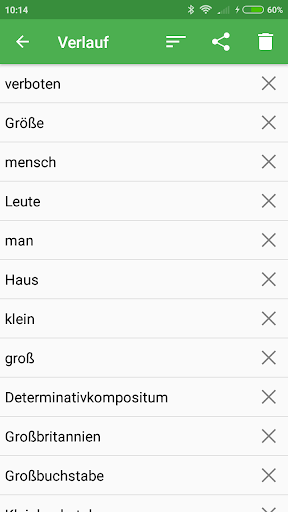
♦ Bookmarks and search history with option to backup your bookmarks
♦ Crossword help: the symbol ? can be used in place of single unknown letter. The symbol * can be used in place of any group of letters.
♦ Random search button (shuffle), useful to learn new words
♦ Share word definition using other apps, like gmail or whatsapp
♦ Compatible with Moon+ Reader and FBReader
Your settings
♦ Black and white themes with user defined text colors (press menu-->select Settings-->click on Theme)
♦ Optional Floating Action Button (FAB) supporting one of the following actions: Search, History, Favorites, Random search and Share option
♦ Persistent Search option to get automatic keyboard at startup
♦ Text to speech options
♦ Number of items in history
♦ Customisable font size and line spacing
Questions:
♦ Question & Answers: http://goo.gl/UnU7V
♦ No voice output? Please follow instructions here: http://goo.gl/axXwR.
♦ Information about permissions used by the application can be found here: http://goo.gl/AsqT4C
Word pronunciation works only if voice data have been installed in your phone (Text-to-speech engine).
In case Moon+ Reader does not list my dictionary: open pop-up "Customize dictionary" and select "Open dictionary directly when Long-Tap on a word"
Information for application developers:
✔ This application provides Dictionary API for 3rd party developers, please read further details: http://thesaurus.altervista.org/dictionary-android
Permissions
This application requires the following permissions:
♢ INTERNET - to retrieve the definition of unknown words
♢ WRITE_EXTERNAL_STORAGE (aka Photos/Media/Files) - to backup configuration and bookmarks