AlemPay
kz.alempay
View detailed information for AlemPay — ratings, download counts, screenshots, pricing and developer details. See integrated SDKs and related technical data.

Screenshots

Description
Cashless payment for travel on public transport from your phone balance in the cities of the Republic of Kazakhstan, payment without commission.
For a list of cities and routes, see the official websites https://alempay.kz and https://smsbus.kz
The user is required to present the electronic travel ticket on the phone to the control service employees or the driver to check the fare payment.
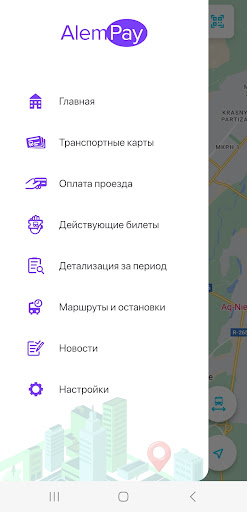
The electronic travel ticket is valid until arrival at the final stop and is available in the "Valid Tickets" section. Previous e-tickets can be viewed in the "Travel details" section.
By paying for travel on public transport, the user of the ALEMPAY mobile application agrees with the rules for using the ALEMPAY service. The rules can be found on the website https://alempay.kz or https://smsbus.kz
Reasons why payments from your phone balance may not go through:
- the number is corporate;
- the trust payment has not been repaid;
- there has been no replenishment of the balance since the purchase of the number;
- the starting balance has not been used up;
- the SIM card was replaced 24 hours before payment.
A passenger can open a virtual transport card in the application for free. Self-service registration is available for regular and school virtual transit cards. To open other preferential virtual cards, you must go to the company’s office with supporting documents.
You can top up a virtual transport card using your card number directly in this mobile application or any other applications such as Kaspi Bank, Halyk Bank (homebank), etc.
System permissions used:
1) Camera - for scanning the QR code, for the operation of the QR scan button.
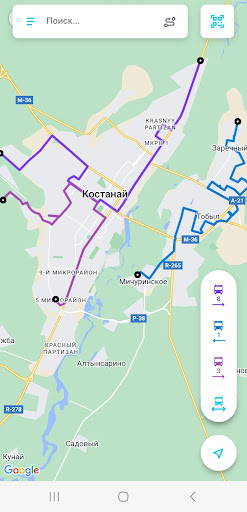
2) Location - for correct display of a map of a city/town, automatic detection of a bus for simplicity and convenience of fare payment (determining the bus code using the GPS location of the passenger and the bus), constructing a route from the passenger’s location to the destination. You can enter destinations and departures on the map or enter text addresses. The route construction algorithm also includes transfers.
ALEMPAY user support: + 7 777 000 2505, +7 700 000 2505, +7 707 000 2505