Sullivan Finder
kr.tuat.sullivanfinder
View detailed information for Sullivan Finder — ratings, download counts, screenshots, pricing and developer details. See integrated SDKs and related technical data.
- No items.

Screenshots

Description
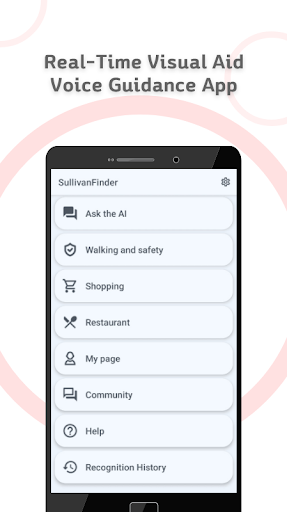
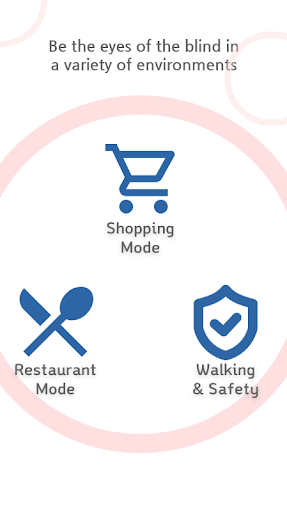
Walking and Safety Mode, Shopping Mode, Restaurant Mode help blind people shop, restaurant and find relevant information in their daily lives without the help of those around them.
If you press the capture button in any mode of the Sullivan Finder, you can check detailed surrounding environment and object information through AI recognition. (Excluding menu recognition and receipt recognition)
In particular, the Walk feature common to each mode can help you find doors, emergency exits, elevators and restrooms.
○ Walking and Safety Mode
Walking and Safety Mode helps blind people navigate safely by identifying various obstacles (bollards, cars, bicycles, poles, street trees, etc.) on the road (roads, sidewalks, crosswalks, stairs, braille blocks) as they travel.
○ Shopping Mode
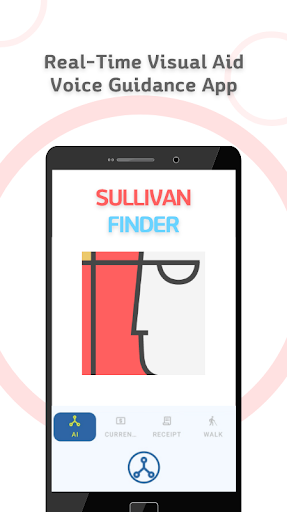
Shopping mode has four functions available: AI recognition, Currency recognition, Receipt recognition and Facility recognition. Find what you want, pay for it and check your receipt.
● AI recognition : Identify different things (with Q&A)
● Currency : currency recognition (US Dollar, Euro, Japanese Yen, Korean Won)
● Receipt recognition : Check the contents of a receipt (with Q&A)
● Walk : Identify doors, emergency exits, elevators and restrooms
○ Restaurant Mode
It allows you to view menus and recognize and identify different foods.
● AI recognition : Identify food (with Q&A)
● Menu recognition : Check menu contents (with Q&A)
● Currency : currency recognition (US Dollar, Euro, Japanese Yen, Korean Won)
● Receipt recognition : Check the contents of a receipt (with Q&A)
● Walk : Identify doors, emergency exits, elevators and restrooms