Time card
jp.ne.app.kintai.activity
View detailed information for Time card — ratings, download counts, screenshots, pricing and developer details. See integrated SDKs and related technical data.
Total installs
429.4K(429,465)
Rating
3.8(47 reviews)
Released
September 9, 2011
Last updated
September 6, 2020
Category
Business
Developer
K.O
Developer details
Name
K.O
E-mail
stallions.0721@gmail.com
Website
unknown
Country
Japan
Address
unknown

Screenshots


Description
Tools to manage situations of daily attendance.
※ If you encounter an error, we will support it at any time,
Up reports, etc. are greatly appreciated.
We only work with to ensure ※ Galaxy S.
For further trouble is expected to be restored.
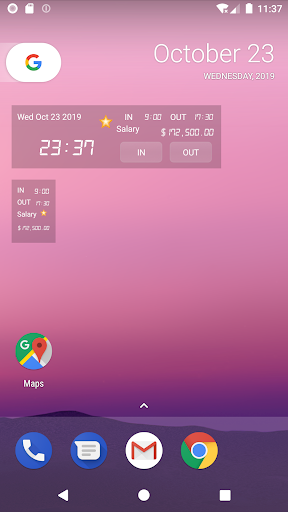
· Emitted from the widget, you can register the withdrawal.
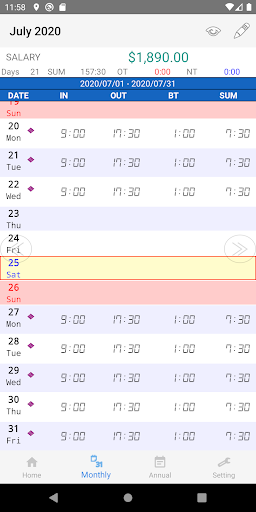
You can see the accumulation of data is monthly data.
You can Email · monthly data.
⇒ comma-delimited format
If you set the hourly wage · display monthly data, the amount paid for the current month to screen widgets
Is displayed.
• Time can be specified in units of revaluation.
1 minute 5 minutes 10 minutes 15 minutes 30 minutes
Once you have registered your work hours • By default, when it is reflected in the attendance register.
To use the features of Gmail accounts, e-mail, please set the password.
Registration has been made possible across a fire.
36-hour
You only have to register in advance Pattern can reflect the pattern in the Time entry screen.
There is no limit to the number of registered patterns.
[Menu] ⇒ [more] ⇒ [Settings employment patterns]
Hourly or daily pay can be set for each pattern
Overtime · calculate the time is now midnight.
Calculation method is as follows.
Overtime ⇒: calculate the time beyond 8 hours
Midnight hour ⇒: Calculate the time to 5:00 the next morning - 22 hours
· Implemented a set closing date.
The default is the end of the month.
VersionName: 1.1
Been fixed so that you can set up to 35:59 set the clock.
VersionName: 1.2.0
Registration pattern was implemented.
VersionName: 1.3
Overtime, night support
VersionName: 1.4
Ads