まんがセゾン本棚 漫画が読める本棚アプリ
jp.mediado.cominavi
View detailed information for まんがセゾン本棚 漫画が読める本棚アプリ — ratings, download counts, screenshots, pricing and developer details. See integrated SDKs and related technical data.
Total installs
32.1K(32,127)
Rating
unknown
Released
March 30, 2021
Last updated
January 1, 1970
Category
Comics
Developer
MEDIA DO
Developer details
Name
MEDIA DO
E-mail
support@mechacomi.jp
Website
unknown
Country
Japan
Address
unknown
Android SDKs
- No items.

Screenshots

Description
◆ App features
[Vertical and horizontal reading without setting]
You can turn the page in each of the vertical and horizontal directions according to the usage scene.
[Crispy page movement]
You can search for the scene you want to read as if you were flipping through a manga.
You can read it immediately while downloading it, and you can find the scene you want to read immediately because it moves smoothly with an emphasis on comfort.
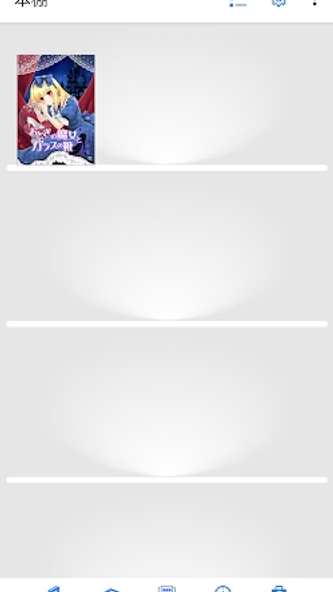
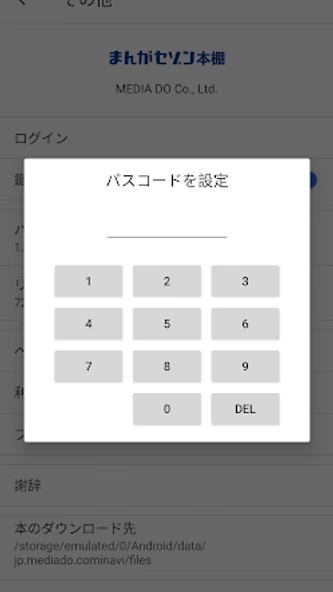
[You can make your own bookshelf with a key]
Books that are important to you can be placed on the with a passcode.
[Other useful functions]
-You can choose to return to the "Cover" when resuming from the previously interrupted page.
└ "Go to cover" button ... Return to the first page
└ "x" button ... Resume from the currently displayed page
-When you try to proceed from the last page of the work, you can select the following actions.
└ Return to the first page
└ Close the book
└ Read the next volume (* If the next volume has already been downloaded)
-You can select all or cancel all with the button "︙" on the toolbar of the bookshelf.
└ After selecting, you can move the bookshelf with the icon with the arrow above, move to the bookshelf with the key with the lock icon, select delete from "︙" and select the deletion method, and then delete the book.