Stock memo:消耗品在庫管理アプリ
jp.info.watertree.stockmemo
View detailed information for Stock memo:消耗品在庫管理アプリ — ratings, download counts, screenshots, pricing and developer details. See integrated SDKs and related technical data.
- No items.

Screenshots
Description
If you do not notice there is not no kore?
"Oh, I was out of soy sauce"
"Toilet paper is good"
"What was the inventory of emergency food?"
There is a situation like that, is not it?
Please manage such consumables with this application.
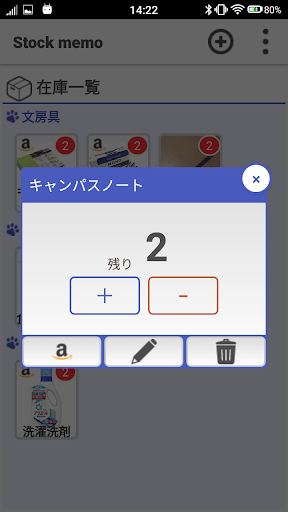
After registering once, -1 is used when used, easy operation just add +1 after refilling.
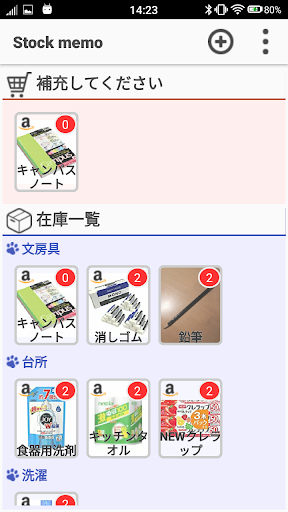
If you set the "supplement it when the stock becomes 1 piece or less", it will be automatically added to the replenishment list depending on the remaining number, so you can use it as a shopping list.
In addition, it also implements Amazon cooperation function.
When you need to replenish Amazon's product page can be opened with one click.
【Feature Description】
● Main screen
· Inventory list management
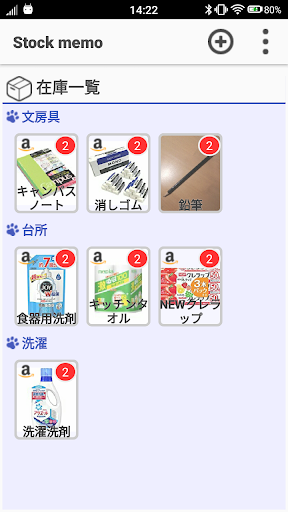
- Inventory list is displayed for each category.
- You can easily increase or decrease the stock quantity with a few clicks.
· Replenishment list management
- Display items that need replenishment at once.
· Search function
- You can search for items by name search. (Ver.1.1)
· Collaboration with Amazon
- Go to Amazon's product page.
· Rakuten cooperation
- We will transition to Rakuten's product page. (Ver.1.3)
● Item edit screen
·sign up
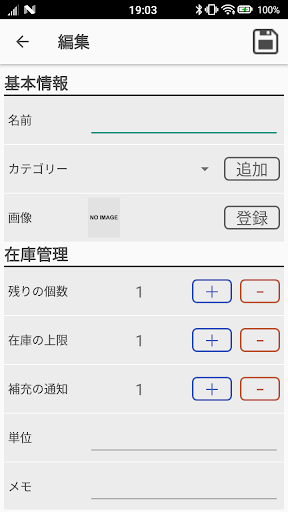
- Enter a new item by entering "Name (*)" "Category (*)" "Image" "Stock number" "Unit" "Memo" "Replenishment method" (Items marked with * are mandatory)
· Edit
- Edit the contents of "name" "category" "image" "stock number" "unit" "memo" "replenishment method".
· Replenishment method (Purchase at Amazon)
- Search Amazon's item list and enter "Name" "Image" "AmazonURL".
· Replenishment method (purchase with Rakuten)
- Search for Rakuten's item list and enter "Name" "Image" "Rakuten URL". (Ver.1.3)
● Category edit screen
· Category management
- Add, change, and delete categories.
● Data takeover screen (ver.1.2)
· Create handover information
- Export handover information.
· Read handover information
- Import handover information.
[Functions to be added in the future]
·Push Notification
· Widgets
· Barcode reading
· Sort items
【trouble shooting】
· "Category was deleted" is displayed in the category of the main screen (ver.1.3.1)
→ Since the category has been deleted, please reset from the edit screen.