Draweroid
jp.gr.java_conf.hdak.drawer
View detailed information for Draweroid — ratings, download counts, screenshots, pricing and developer details. See integrated SDKs and related technical data.

Screenshots
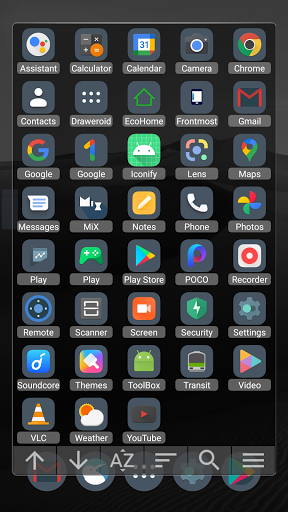
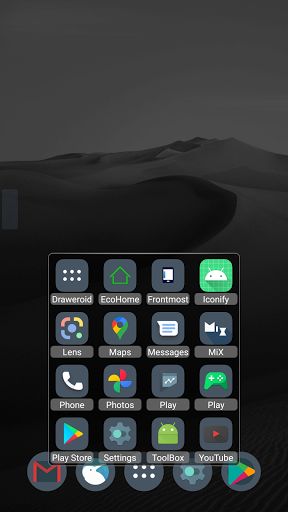
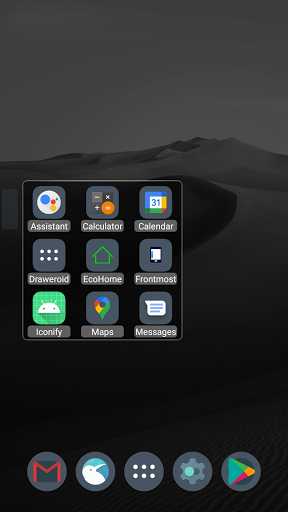
Description
Draweroid is a Dialog style app drawer.
You can customize the window size and position, application icon and name, etc.
Features
*Hide unwanted apps.
*Sort apps by name, recently used, frequently used.
*Change application icon and name.
*Categorize apps and create a shortcut to the category on the drawer (it works like folders)
and more.
Following features are enabled after donating.
You can donate by buying Draweroid donation key.
https://play.google.com/store/apps/details?id=jp.gr.java_conf.hdak.certificate.drawer
-- ver.1.29 --
*Backup/Restore settings.(Menu -> Preferences)
*Added "Running apps" on shortcut category.
(tap:bring app to front / long tap:close background app)
-- ver.1.27 --
*Toolbar options.(more commands, position settings, show icon, etc)
-- ver.1.26 --
*Load the profile when launch Draweroid via shortcuts.
*Customizable window margins.
-- ver.1.25 --
*Add shortcuts to the drawer.
-- ver.1.24 --
*Reverse order.
*Edit usage history. (for customize order)
-- ver.1.22 --
*The app can be displayed on multiple categories.
*Edit the name of "my app".
-- ver.1.20 --
*Customizable window color
(set "Icon quality" to 100, then "Color settings" button will appear in "View settings" menu.)
*Create shortcuts to category on home screen (or other apps)
*Touch actions on outside the window
(tap : close Draweroid, double tap : open menu)
*Editable title of first view (check "show title" to edit)
*Change category by swiping right / left
*Automatic updates icon of shortcut to category
*Support ADW icon pack
*Launch from home button or search button(long pressing)