やまぎんアプリ E-Branch
jp.co.yamagatabank.securestarter
View detailed information for やまぎんアプリ E-Branch — ratings, download counts, screenshots, pricing and developer details. See integrated SDKs and related technical data.

Screenshots

Description
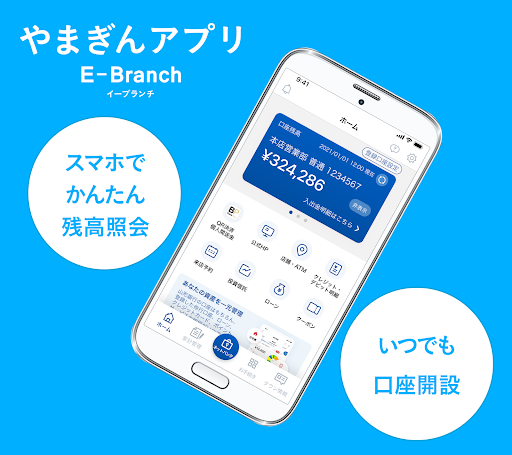
・If you have a Yamagata Bank cash card, you can use the "Easy Balance Inquiry" function that allows you to check your savings account balance and deposit/withdrawal details.
・By registering the branch number, account number, or subscriber number of your Internet banking representative account and logon password, you can use the "Easy Logon" feature that allows you to log on to Internet banking using the authentication function (passcode authentication/biometric authentication) when using the app.
・By linking with the personal asset management app "Moneytree," you can centrally manage multiple financial services such as our bank, other banks, credit cards, electronic money, points, etc.
・Individual customers who are 18 years of age or older and have either an Individual Number Card, a driver's license, or a driving record certificate can apply to open an online account without having to visit a store or obtain a seal.
●Main features
1. Easy balance inquiry
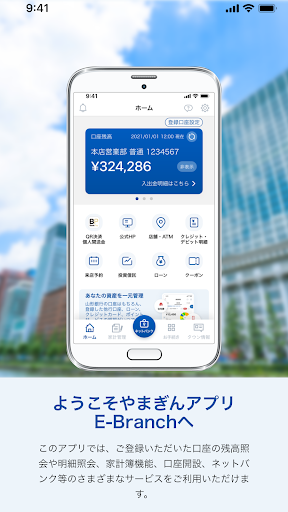
If you have a Yamagata Bank cash card, you can check the balance and deposit/withdrawal details of up to three savings accounts.
2. Easy logon
By registering the branch number/account number or subscriber number of your Internet banking representative account and logon password, you can log on to Internet banking using the authentication function (passcode authentication/biometric authentication) when using the app.
3. Asset management (“Issei Passbook by Moneytree”*)
By linking with the personal asset management app "Moneytree," you can check a list of balances and usage details for not only Yamagata Bank accounts, but also accounts at other banks and securities companies, credit cards, and point services.
*“Issei Passbook by Moneytree” is a registered trademark of Moneytree Co., Ltd.
*To use this service, you must apply for online banking and register for first-time use.
4. Account opening
Individual customers who are 18 years of age or older and have either an Individual Number Card, a driver's license, or a driving record certificate can apply to open an online account without having to visit a branch or obtain a seal.
5. Notifications (Push notifications)
You can check the list of campaigns and recommended information from Yamagata Bank.
6. Links to various contents
① Log on to Net Bank and apply for a new application
② Various procedures, investment trust account opening, Yamagata Bank card loan application
③ Payment of utility charges, etc. (Yamagin PayB)
④ Store/ATM search
⑤ Access to Yamagata Bank official website
●How to use
Recommended OS for the app is iOS 15.0 or higher, Android 7.0 or higher. For other information on using this app, please check the Yamagata Bank website.
*Even if you use the app on the recommended OS, it may not work properly depending on the model/device settings.
●Notes
・This app is free to use, but customers are responsible for communication charges incurred when downloading and using the app.
-This app may use your smartphone's location information when distributing information about Yamagata Bank's products and services, such as campaigns and seminars.
・We recommend security measures such as installing security software to prevent the smartphone on which this app is installed from being infected with computer viruses or malicious programs.
・There may be times when the service is unavailable due to system maintenance, etc.
・Please check the Yamagata Bank website for detailed information about this app.