東京スター銀行 ワンタイムパスワードアプリ
jp.co.tokyostarbank.tsbotp
View detailed information for 東京スター銀行 ワンタイムパスワードアプリ — ratings, download counts, screenshots, pricing and developer details. See integrated SDKs and related technical data.

Screenshots


Description
* This is the official one-time password app for Tokyo Star Direct (Internet banking for individual customers) provided by Tokyo Star Bank.
A one-time password is a one-time password that is valid for each Tokyo Star Direct transaction.
Since the one-time password is displayed on the customer's smartphone each time, you can use your important transactions more safely and securely, such as making a transfer or changing the ATM usage limit!
[Target for using this app]
Customers using Tokyo Star Direct with a Star One account / savings account
* This app cannot be used by customers who do not have a Tokyo Star Bank account or who use Tokyo Star Direct other than a Star One account.
[Registration procedure]
After launching the app, please follow the steps below to register your Star One account.
1. Tap the [Settings] button at the top right of the screen.
2. On the "Register User Account" screen, enter the Tokyo Star Direct login ID and login password, and tap [Start Authentication].
3. Select and confirm the phone number used for identity verification, and tap the confirmation method button.
4. On the "PIN verification" screen, enter the 4-digit PIN of your cash card and tap the [Authentication result confirmation] button.
5. On the "Authentication Complete" screen, tap the [Finish] button to display the one-time password.
The specific registration procedure is introduced here.
https://www.tokyostarbank.co.jp/service/tokyostardirect/onetimepassword/index.html
[How to use]
For important transactions with Tokyo Star Direct, a one-time password entry field will be displayed on the screen.
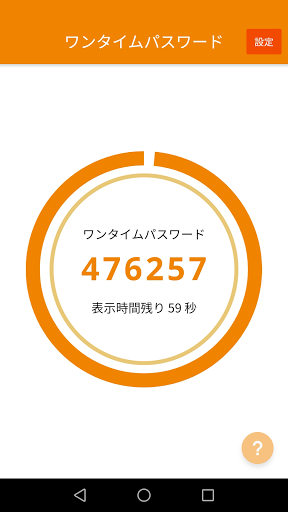
Launch the one-time password app and enter the displayed 6-digit number.
【Frequently Asked Questions】
If you have any questions, please check "Frequently Asked Questions" > About Tokyo Star Direct (Internet Banking) > One-time password.
https://support.tokyostarbank.co.jp/faq_list.html
[OS confirmed to work]
Android 5.1 and above
【please note】
Please be sure to read and agree to the "Terms of Use" and "Handling of Personal Information" before using.
・ Acceptable use policy
https://www.tokyostarbank.co.jp/service/tokyostardirect/regulations/
・ Handling of personal information
https://www.tokyostarbank.co.jp/sp/privacy/