RICOH IWB Client
jp.co.ricoh.iwb.iwbclient
View detailed information for RICOH IWB Client — ratings, download counts, screenshots, pricing and developer details. See integrated SDKs and related technical data.

Screenshots
Description
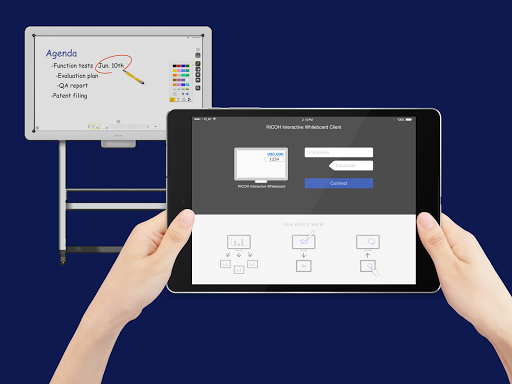
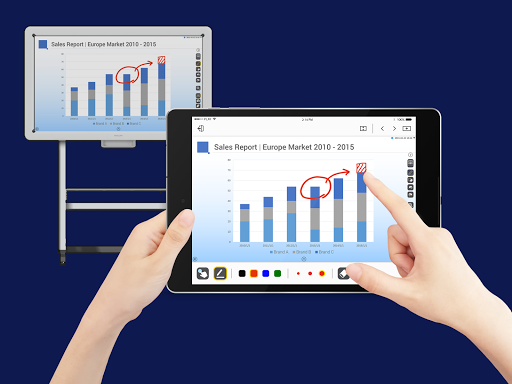
RICOH Interactive Whiteboard Client can enforce your discussion more interactively by connecting your device to RICOH Interactive Whiteboard via local network.
*To use RICOH Interactive Whiteboard Client, RICOH Interactive Whiteboard ( https://www.ricoh.com/products/interactive-whiteboards ) and the license for remote whiteboard function are required.
■Features available
・View screen of RICOH Interactive Whiteboard
・Draw strokes on the screen of RICOH Interactive Whiteboard
・Draw markers on RICOH Interactive Whiteboard (drawn marker automatically disappears in a few seconds after it is drawn)
・Delete strokes on RICOH Interactive Whiteboard
・Add new pages on RICOH Interactive Whiteboard
・Turn pages of RICOH Interactive Whiteboard
・Switch external inputs of RICOH Interactive Whiteboard
・Upload image file to RICOH interactive whiteboard
■How to use
1. Start a RICOH Interactive Whiteboard, and start a Remote Whiteboard session
2. Run the RICOH Interactive Whiteboard Client
3. Input IP Address or host name of the RICOH Interactive Whiteboard and the passcode displayed on the RICOH Interactive Whiteboard
■Supported OS
Please refer to "Notes for Users" from the link below.
http://support.ricoh.com/bb_v1oi/html/oi/r/model/op10/op10en.htm
*The Requires Android in Additional Information section indicates whether this application can be installed or not. This is different from supported OS, on which operation is guaranteed.
■Connectable RICOH Interactive Whiteboard
・D5510 (firmware version 1.6 and later)
・D2200
・RICOH Interactive Whiteboard Controller Type 1
・RICOH Interactive Whiteboard Controller Type 2
・RICOH Collaboration Board Controller Type 3
・RICOH Interactive Whiteboard Controller OP-5/OP-10 (with RICOH Interactive Whiteboard Lt for Open Controller)